Overview
When building a dynamic segment in FosterFlow, you can leverage predefined scenarios to quickly target users based on common behavioral patterns. These templates save time and help you implement effective marketing strategies without needing to build complex conditions from scratch.
We currently offer five predefined scenarios to help you identify key groups of people within your audience:
* Cart abandonment
* Product pages bounce
* Channel interactions
* Purchase
* User Sign-up

Cart abandonment
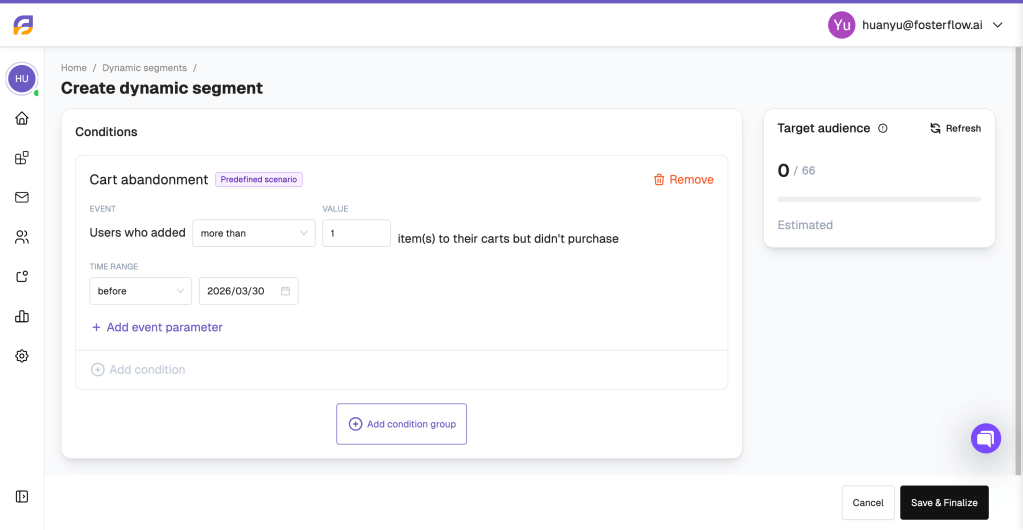
The Cart abandonment scenario helps you identify users who have shown high purchasing intent by adding items to their shopping carts but failed to complete the checkout process.
In this setup, you can specify the minimum number of items added to the cart (e.g., more than 1 item) and define a specific time range to capture recent abandoners. This segment is highly effective for triggering reminder campaigns or targeted discount offers to recover lost sales.
Product page bounce
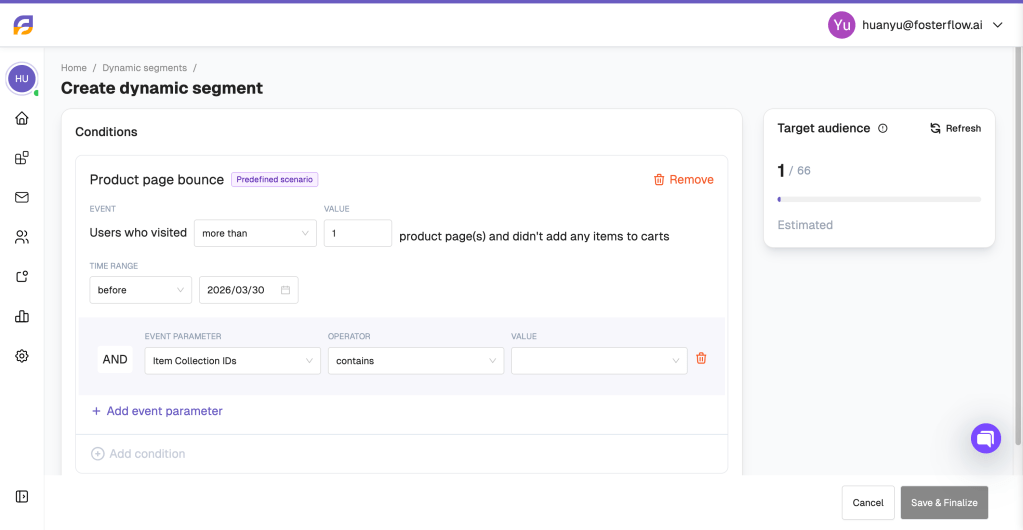
The Product page bounce scenario focuses on users who showed interest by viewing your products but left without adding anything to their carts.
You can define this segment by the number of product pages visited and the specific time frame. Additionally, FosterFlow allows you to refine this segment using specific event parameters. For example, you can filter by “Item Collection IDs” to target users who browsed specific categories or product lines but did not convert.
Channel interactions
The Channel interactions scenario allows you to segment your audience based on how they engage with your marketing channels, such as Email, SMS, Web Push, or App Push messages.
You can target users on a specific channel who triggered a particular event an exact number of times within a selected period. For example, you can filter for users who triggered the “Email Subscribe” event exactly once before a specific date.
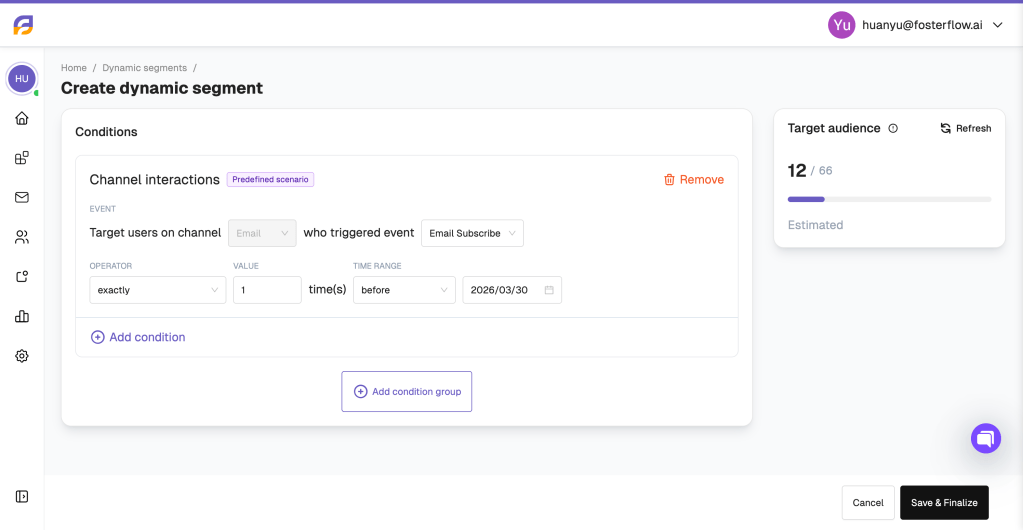
FosterFlow provides a comprehensive dropdown list of channel-specific events to choose from. For the Email channel, these events include Email Subscribe, Email Unsubscribe, Email Send, Email Blocked, Email Bounce, Email Delivered, Email Drop, Email Spam Report, Email Click, and Email Open. This gives you precise control over your engagement-based targeting.

Purchase
The Purchase scenario is designed to target users who have successfully completed a transaction.
You can customize this segment by specifying order details, such as users who purchased and whose order contains more than a certain number of items within a defined timeframe. This predefined segment is ideal for post-purchase follow-ups, VIP customer identification, and cross-selling campaigns.

User Sign-up
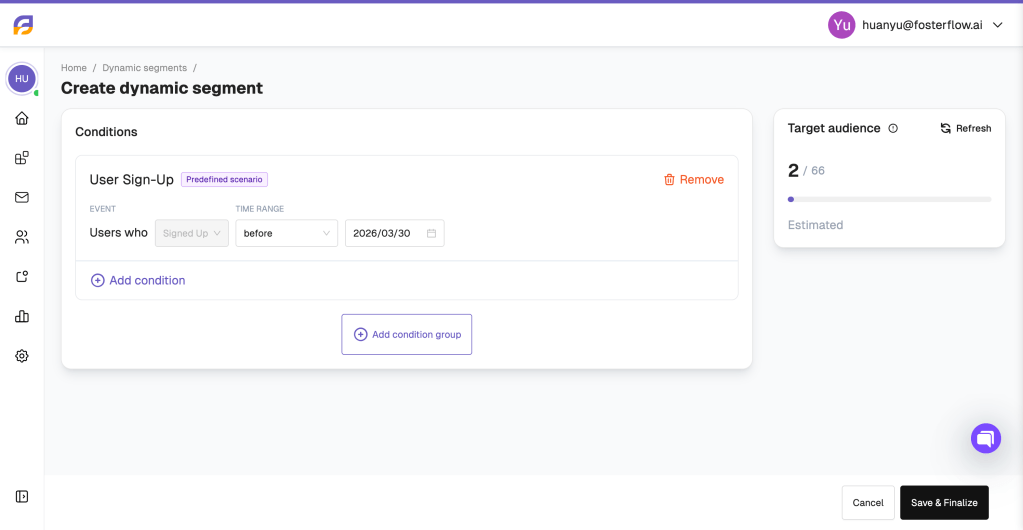
The User Sign-up scenario allows you to easily capture users who have registered or created an account on your website.
By setting a specific time range, you can isolate new sign-ups. This is a crucial segment for enrolling users into onboarding flows or welcome series, ensuring that new contacts receive the appropriate introductory messaging at the beginning of their customer journey.