
Shopify Email Analytics
Stop guessing which campaigns work. FosterFlow gives you granular Shopify email analytics that connect directly to your store’s revenue data—so you can measure real ROI, not vanity metrics. With our native Shopify integration, every email, pop-up, and flow ties back to actual sales. Start your free trial today.
Key Email Analytics Features
Integrated Commerce Dashboard
See total revenue, ROI, and list health in one unified view. FosterFlow pulls data directly from real-time Shopify sales, giving you conversion rate reporting you can trust.
Flow Performance Tracking
Track how automated flows impact customer behavior at every step. Identify bottlenecks, spot optimization points, and see exactly where subscribers convert—or drop off.
Multi-Channel Attribution
Understand the true ROI of your marketing spend across email, SMS, and pop-ups. Our revenue attribution models show you which channels drive sales, eliminating the guesswork.
A/B Test & Campaign Comparison
Compare campaign variations side-by-side to rapidly identify winning strategies. Test subject lines, content, timing, and CTAs with built-in A/B test comparisons.
Contact Lifecycle Reports
Analyze customer behavior from acquisition source to purchase history. Use this data for personalized retargeting and smarter audience segmentation decisions.
Key Metrics to Track in Your Shopify Email Campaigns
A good open rate ranges from 20% to 22%. For conversion rates, aim for 1%+ for newsletters and 3-5%+ for triggered emails, up to 15%+ for highly targeted campaigns like abandoned cart flows. FosterFlow tracks all these metrics automatically through your subscriber growth dashboard—plus connects them to actual Shopify sales data for complete UTM parameter tracking and attribution.
|
Metric
|
What It Measures
|
Why It Matters
|
|---|---|---|
|
Open Rate
|
Percentage of emails opened
|
Tests subject line effectiveness
|
|
Click-Through Rate (CTR)
|
Clicks on email links
|
Measures content engagement
|
|
Conversion Rate
|
Actions completed (purchases, sign-ups)
|
Shows revenue impact
|
|
Bounce Rate
|
Undelivered emails
|
Indicates list health
|
|
Revenue Per Email
|
Sales generated per send
|
Tracks true campaign ROI
|
Revenue Attribution That Actually Makes Sense
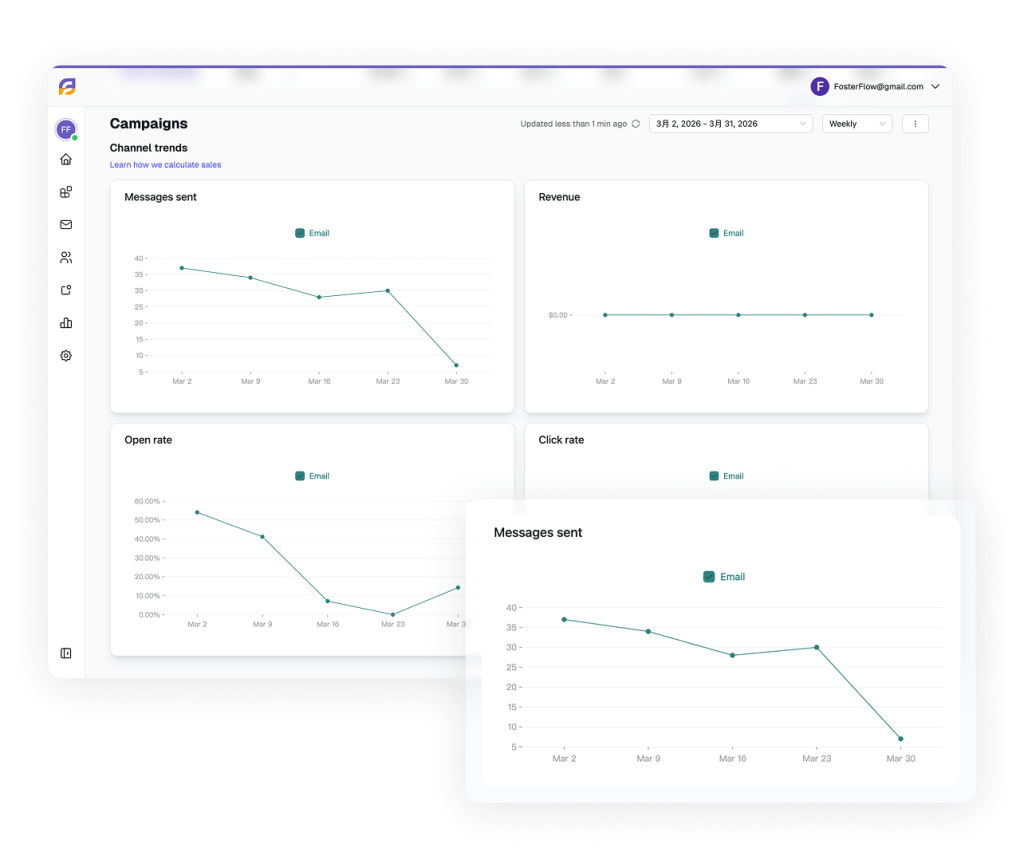
Most email platforms report revenue attribution using a simple last-click model: a customer clicked an email link and placed an order within a set window, so the email gets full credit. That model is better than nothing, but it misses the bigger picture — the welcome series email that introduced the brand, the win-back flow that re-engaged the customer two weeks ago, and the campaign that reminded them about the product yesterday.
FosterFlow ties every email touchpoint to the final Shopify order using both last-click and assisted attribution. When a customer converts, you see the full chain of email interactions that contributed — not just the final click. Each flow and campaign in the chain receives proportional credit, giving you an accurate view of which automations are truly driving revenue and which are simply riding the coattails of earlier touches.
This matters because it changes how you invest your time. If your abandoned cart flow gets all the last-click credit but your browse abandonment flow is consistently the first touch in high-value conversion paths, you know where to double down. Revenue attribution in FosterFlow updates in real time as Shopify orders come in, so the numbers you see at 9 a.m. reflect the sales from last night’s campaign — not a batch export from 48 hours ago.
Flow Performance Dashboard
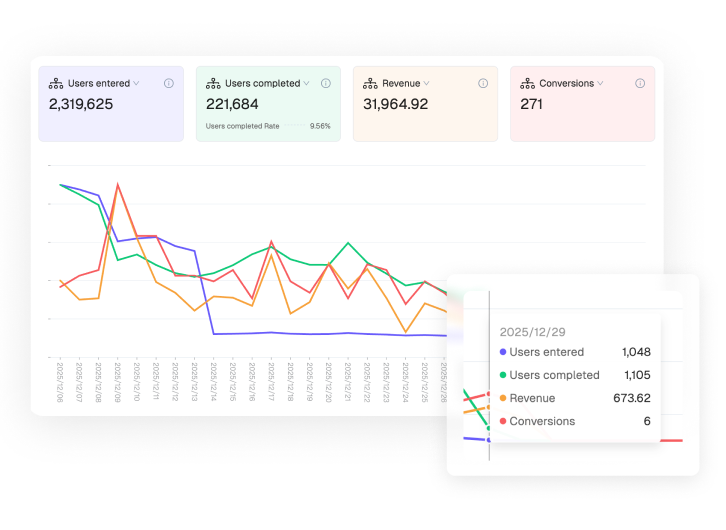
Every automation flow in FosterFlow has its own dedicated performance dashboard that tracks the full customer journey from entry to conversion. At a glance, you see how many customers entered the flow, how many completed every step, where the drop-off points are, and how much revenue the flow generated over any date range.
The flow dashboard breaks down metrics by individual steps. If your abandoned cart sequence has three emails, you can see the open rate, click-through rate, and conversion rate for each one — and identify exactly where customers are disengaging. A high open rate on email one but a steep drop on email two tells you the second message needs work, not the entire flow.
Drop-off analysis highlights the specific steps and time delays where customers are exiting the flow without converting. Use this data to adjust delay timing, rewrite underperforming emails, or add conditional branches that route disengaged customers to a different message. Every change you make is reflected in the flow dashboard within hours, so optimization cycles are fast and measurable.

Campaign Analytics
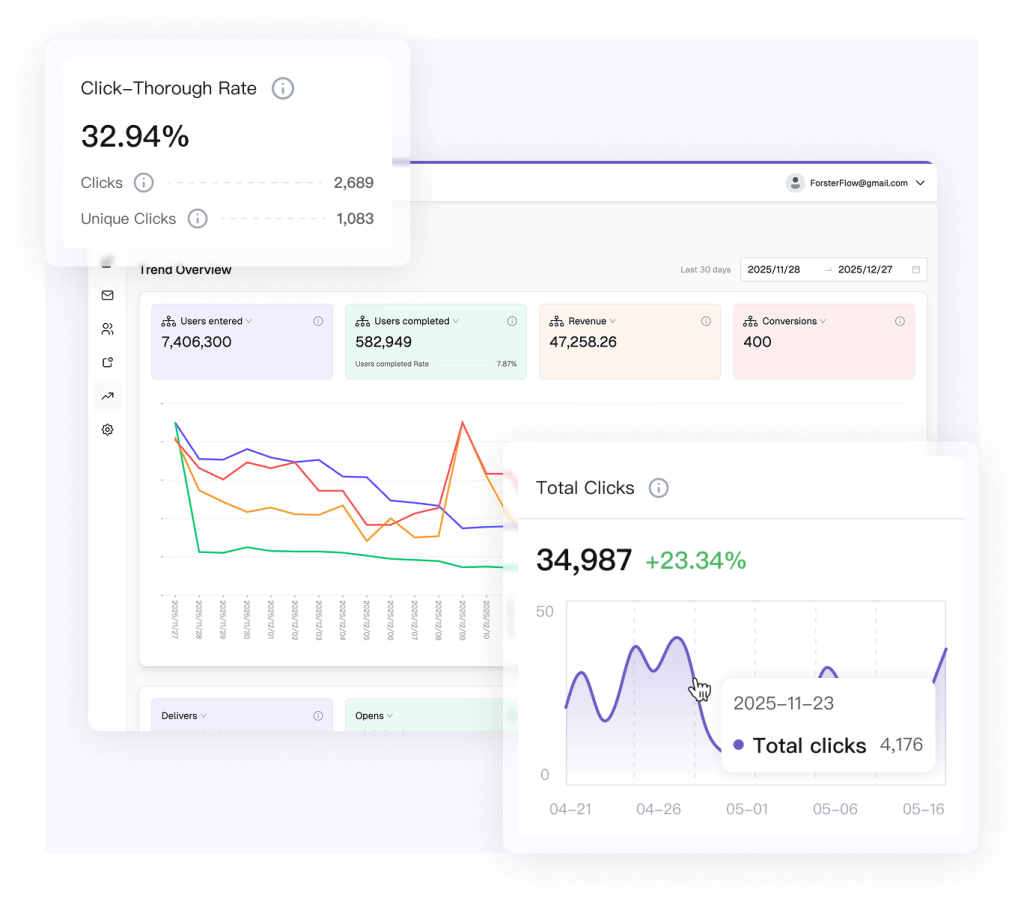
Campaign-level analytics in FosterFlow go beyond vanity metrics. For every campaign you send, the dashboard reports open rate, click-through rate (CTR), conversion rate, revenue per recipient, total attributed revenue, and unsubscribe rate — all tied directly to Shopify order data.
Benchmarks matter. FosterFlow displays industry-average benchmarks alongside your results so you can see at a glance whether your 22% open rate is strong for your store size and vertical or whether there’s room to improve. Campaign analytics also break down by segment, so you can compare how your VIP audience responded versus your general list — and use that insight to refine targeting on your next send.
Revenue per recipient is the metric that separates profitable campaigns from noisy ones. A campaign with a modest open rate but strong revenue per recipient is outperforming a high-open, low-conversion blast every time. FosterFlow surfaces this metric prominently so you optimize for the number that actually hits your bottom line.
Audience & Segment Insights
Understanding which segments drive the most value over time is critical for strategic decisions. FosterFlow’s segment insights dashboard tracks customer lifetime value (CLV) by segment, engagement decay by cohort, and segment growth over time.
CLV by segment shows you the total revenue generated by customers in each segment over their lifetime — not just from a single campaign. When you see that your “VIP Buyers” segment has a CLV 8x higher than your general list, you know exactly where to invest in retention. Engagement decay by cohort reveals how quickly new subscribers stop opening emails, so you can time your re-engagement flows to fire before interest drops off completely.
Segment value trends update daily, giving you a longitudinal view of whether your segmentation strategy is working. If your “High-AOV Prospects” segment is shrinking while your “Lapsed 90 Days” segment is growing, the data tells you something is broken upstream — and the analytics point you to the fix.

Email Flow & Campaign Attribution
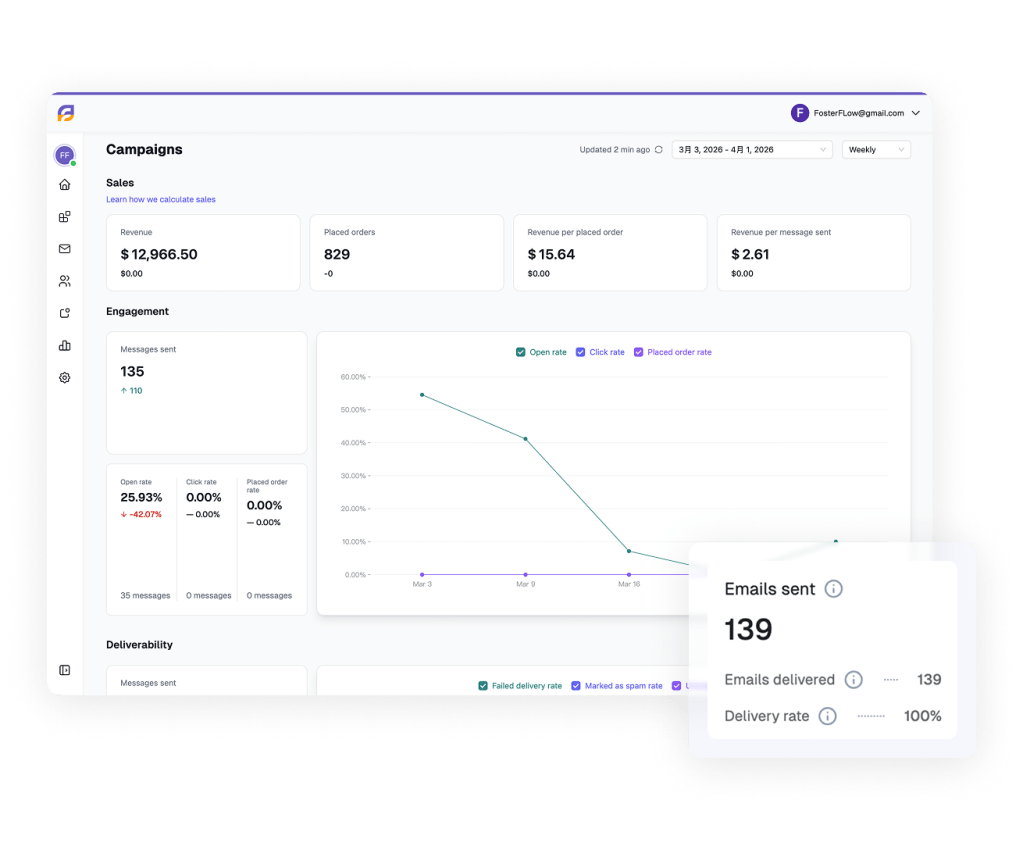
Email is rarely the only marketing touchpoint influencing a customer before they convert. FosterFlow’s multi-channel attribution view unifies your email flows and campaigns in a single funnel visualization, so you can clearly see how each messaging sequence contributes to sales and conversions.
Read the funnel from top to bottom: a visitor lands on your site, opts into your list, receives a welcome email flow, clicks through to browse your products, and completes a purchase two days later following a targeted cart recovery email. FosterFlow tracks every customer interaction along this journey and attributes revenue accurately — so you can identify exactly how your welcome flow nurtures leads and how your targeted email campaigns drive final sales.
This unified, streamlined view eliminates the channel-silo inefficiencies of disjointed systems. By centering your analytics around email engagement, deliverability performance, and attributed revenue all within one dashboard, you gain clear visibility into what truly moves the needle. You can make smarter budget and resource decisions, and avoid inaccurate revenue duplication that often comes with using separate, disconnected tools.
Comparison: Analytics Depth
FosterFlow vs Klaviyo vs Omnisend vs Drip
|
Feature
|
FosterFlow
|
Klaviyo
|
Omnisend
|
Drip
|
|---|---|---|---|---|
|
Revenue attribution
|
Last-click + assisted
|
Last-click only
|
Last-click only
|
Last-click only
|
|
Flow analytics
|
Per-step + drop-off
|
Per-step + drop-off
|
Basic
|
Per-step
|
|
Segment CLV
|
Yes, real-time
|
Yes
|
Limited
|
Limited
|
|
Price (entry)
|
From $9/mo
|
From $45/mo
|
From $16/mo
|
From $39/mo
|
Frequently Asked Questions
How quickly does revenue attribution update after a Shopify order?
Can I export analytics data to a spreadsheet or BI tool?
Q: What is the attribution window for email-driven revenue?
Ready to Stop Guessing and Start Knowing?
Ready to stop guessing and start knowing? Book a demo to see how FosterFlow’s analytics can turn your email marketing into predictable revenue. Or explore our pricing plans to get started today.