
How to Stop Abandoned Cart Emails After a Shopify Customer Purchases
How to Stop Abandoned Cart Emails After a Shopify Customer Purchases
A Shopify shopper starts checkout, completes the order, and later receives an abandoned-cart reminder. The message may have been queued correctly; the customer changed state before it was sent.
The first fix is not another email or a different delay. The recovery workflow needs a current-state check before each consequential message.
Entering a Flow qualifies the customer at the start. It does not authorize every later message.
Why the reminder survives a purchase
A recovery workflow has three moments: an event qualifies the shopper, a delay queues a future action, and the message dispatches. The customer can purchase between any two moments. A purchase condition checked only at entry cannot close that timing gap.
For the relevant episode, check whether an order has been placed since the recovery Flow started. Do not use lifetime order history as a blanket exclusion; repeat buyers can start new shopping episodes.
Give one path ownership
Use the deepest verified state inside one correlated episode:
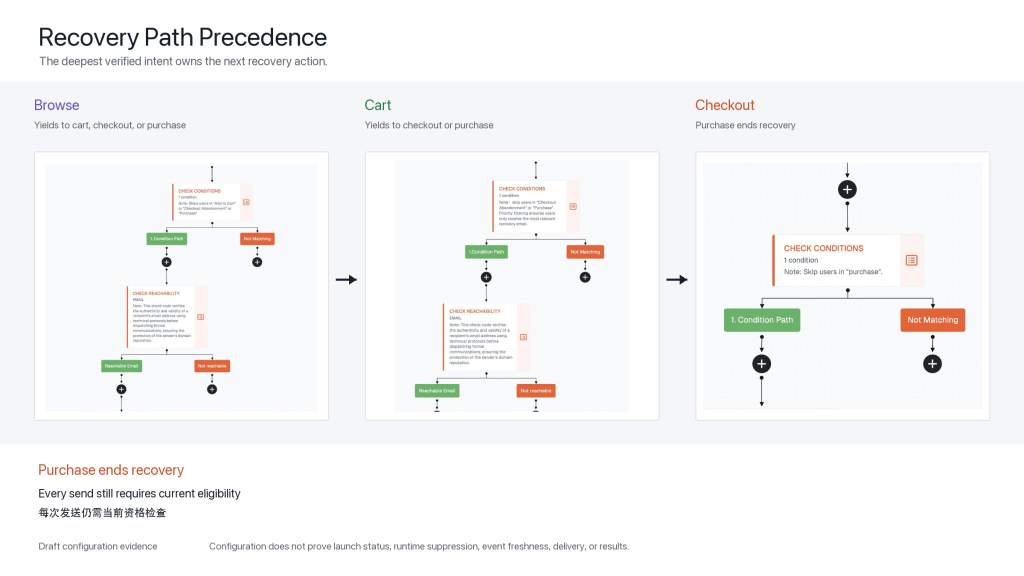
Browse -> Cart -> Checkout -> Purchase
Cart supersedes browse recovery, checkout supersedes cart recovery, and purchase ends recovery. Post-purchase communication is a separate path with its own entry and send checks. The public-safe comparison of these three Draft Canvases is used as the featured image so the body can focus on the deeper condition views.
The path order applies only when identity, product or cart context, event sequence, and timing support the same episode. A historical checkout should not suppress a new cart forever.
Recheck the facts that make the message valid
Before dispatch, review current order state, unsubscribe and suppression, channel reachability, complaint status, competing journeys, contact pressure, cart contents, inventory, price, offer, delivery promise, event freshness, and identity correlation. If an authoritative event is delayed or ambiguous, use a documented wait-or-skip policy.
The system should distinguish:
- Send: every required fact remains valid.
- Wait: current state is still processing.
- Skip: this message is invalid, while a later action may be checked again.
- Exit: recovery has ended for this episode.
- Transition: another path may qualify independently.
Klaviyo’s official documentation distinguishes entry-time trigger filters from profile filters checked before actionable elements, and notes that a failed profile filter can skip the current action without being a terminal exit. Other platforms may differ.
Purchase exit is one high-risk audit finding. For the broader review across Welcome, recovery, post-purchase, Replenishment, and Winback, use the Shopify email Flow audit checklist to examine path ownership, send-time checks, runtime evidence, and repair order together.
When the store has traffic but no valid cart or checkout episode to recover, step upstream. Find the first broken Shopify buying step before adding another recovery message.
What the FosterFlow evidence proves
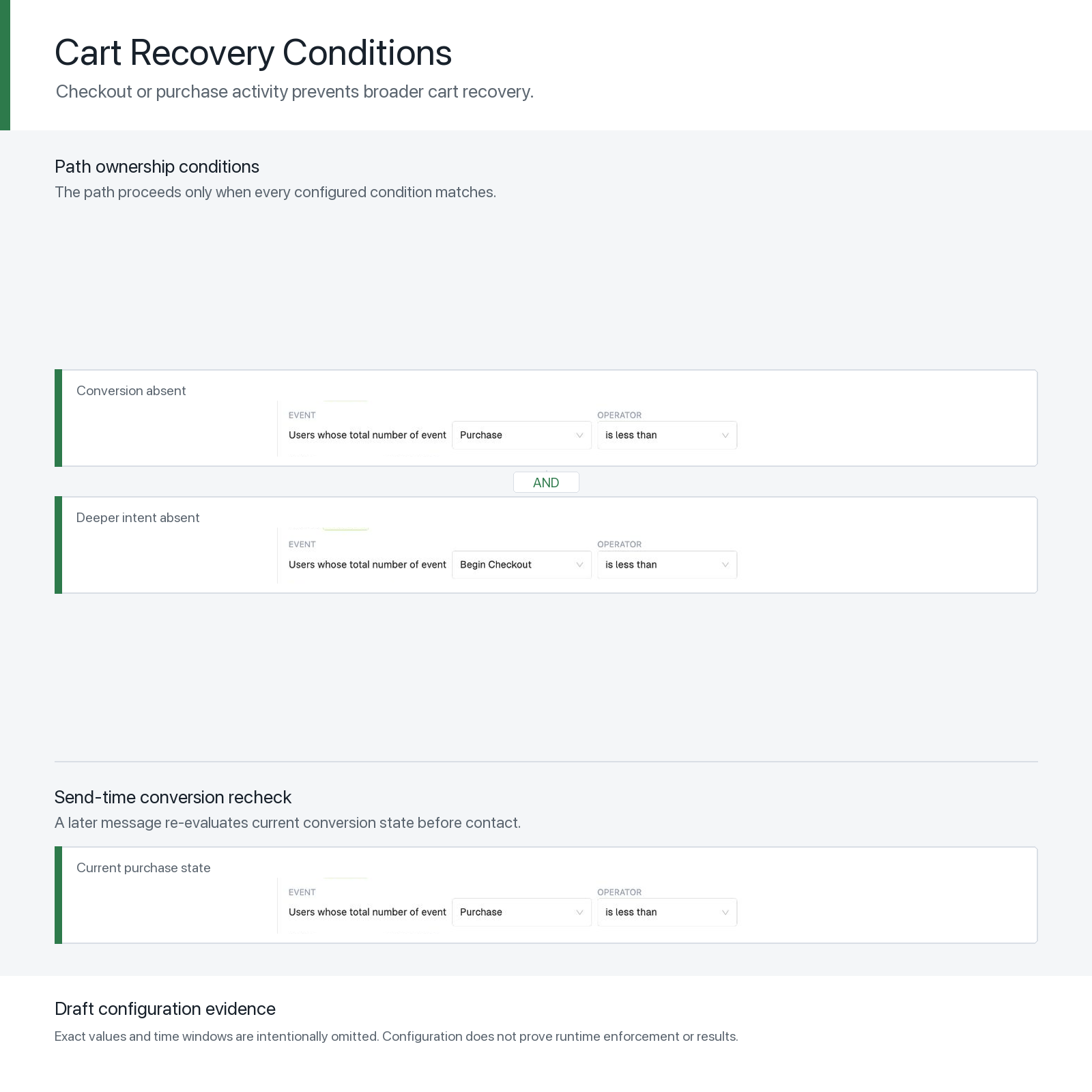
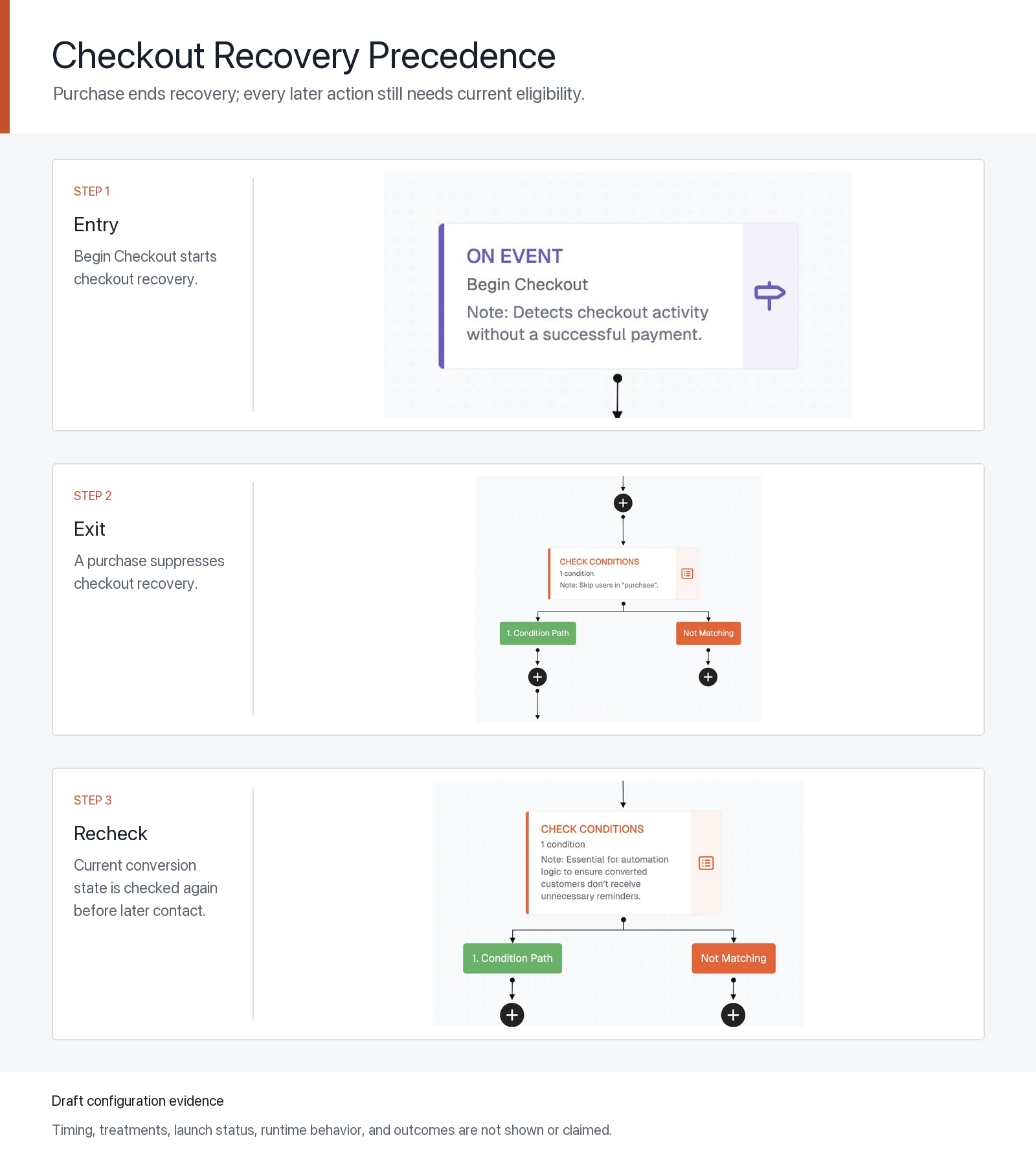
Taken together, these Draft views document editable event comparisons, path precedence, reachability checks, and repeated purchase checks. This visual record cannot establish publication, event freshness or identity matching at dispatch, suppression of every ineligible action, delivery, or incremental recovery revenue. Draft timing, counts, messages, and offers are not universal recommendations.
Test the purchase exit
Use a test shopper: create the checkout event, confirm entry, queue a message, place an order before it is due, verify the purchase reaches the decision source, and inspect the skip or exit reason. Repeat with delayed events, guest identity matching, out-of-order events, and a new shopping episode.
After purchase exits and send-time checks are reliable, use How to Measure Shopify Email Performance Beyond Open Rate to evaluate whether recovery messages move eligible shoppers toward credible action and net business value.
Before rewriting the abandoned-cart copy, answer:
What change would make this message wrong before it sends?
One thought on “How to Stop Abandoned Cart Emails After a Shopify Customer Purchases”