
Mailchimp vs FosterFlow: Which Email Campaign App Works Better for Shopify Stores in 2026?
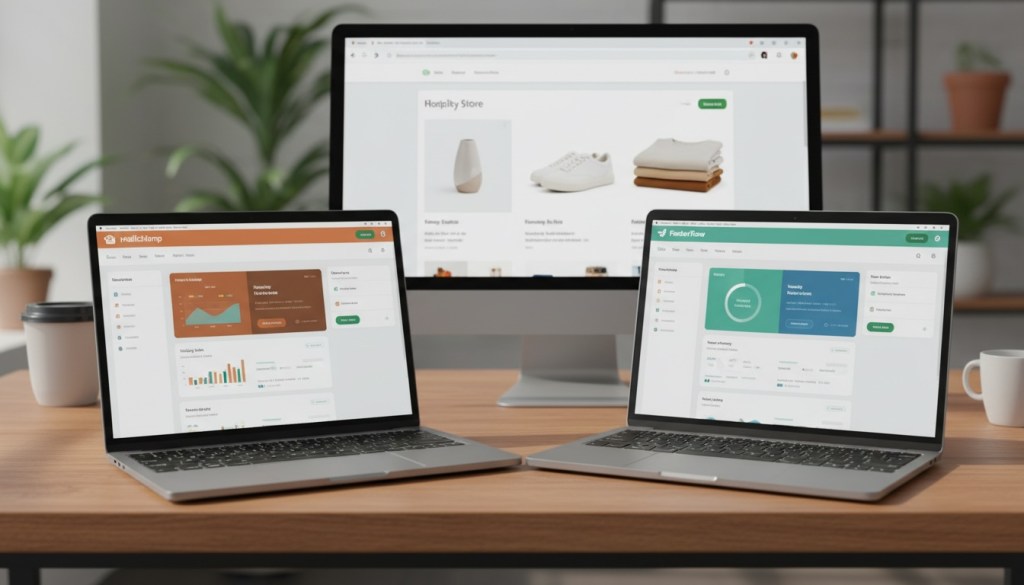
If you run a Shopify store, you’ve probably considered Mailchimp for email marketing. It’s been around forever, and plenty of people use it. But here’s the thing: just because something’s popular doesn’t mean it’s the best fit for your business.
FosterFlow is a newer player built specifically for Shopify merchants. Unlike Mailchimp—which tries to serve everyone from nonprofit organizations to tech startups—FosterFlow zeroes in on e-commerce automation and Shopify integration.
So which one actually delivers better results for your online store? We’ll compare pricing, features, automation, and real-world performance to help you make the call.
How Mailchimp and FosterFlow Handle Shopify Integration
Mailchimp connects to Shopify through an app you’ll install from the Shopify App Store. It syncs customer data, order history, and purchase behavior between platforms. But here’s what you need to know: Mailchimp operates as a separate platform. You’ll manage your email campaigns in Mailchimp’s dashboard, not inside Shopify.
FosterFlow takes a different approach. It’s Shopify-native, meaning it was built from day one to work inside the Shopify ecosystem. When you install FosterFlow, it automatically sets up pixel tracking for real-time behavior monitoring. Your brand assets—colors, fonts, images—sync automatically from your Shopify theme into the email editor. No manual uploads or color code copying required.
The real difference shows up in how the platforms handle customer segments. With FosterFlow, your Shopify Saved Customer Segments import directly into the platform. Email engagement metrics automatically tag back onto Shopify customer profiles as customer tags. You get a single source of truth inside Shopify instead of jumping between two dashboards.
Mailchimp’s integration works, but you’re essentially managing two separate datasets. Changes in one platform don’t always reflect instantly in the other, which can create headaches when you’re trying to segment based on recent purchases or behavior.
What You’ll Actually Pay
Mailchimp starts at $13 per month for 500 contacts with basic features. Their free plan exists but only covers 500 emails monthly to 250 contacts—which isn’t much if you’re running an active store. And here’s the kicker: Mailchimp bills you for every contact in your list, including unsubscribed users. Yes, you’re paying for people you can’t even email.
FosterFlow’s Essential Plan starts at $9 per month with 5,000 emails and up to 10,000 contacts. The Growth Plan runs $18 monthly with 12,000 emails. For high-volume senders, the Premium Plan at $109 per month includes unlimited emails.
Here’s the breakdown:
Mailchimp:
- Free: 500 emails/month, 250 contacts
- Essentials: $13/month for 500 contacts
- Standard: $20/month for 500 contacts
- Premium: $350/month for 500 contacts
FosterFlow:
- Essential: $9/month, 5,000 emails, 10,000 contacts
- Growth: $18/month, 12,000 emails
- Premium: $109/month, unlimited emails
Both platforms scale pricing as your contact list grows. But the billing structure differs significantly. FosterFlow charges based on actual email sends and active contacts. Mailchimp charges per contact stored, regardless of engagement level.
For a store with 2,500 active subscribers sending weekly campaigns, you’d pay around $34 monthly with Mailchimp. With FosterFlow, you’d likely stay on the Growth Plan at $18.
Email Automation Capabilities
Both platforms offer automation, but they approach it differently.
Mailchimp provides Customer Journeys—their visual automation builder. You can set up abandoned cart sequences, welcome series, and post-purchase flows. It’s solid for basic automation. The interface is clean and relatively easy to learn.
But FosterFlow’s Flow Automation was designed specifically for e-commerce behavioral triggers. The drag-and-drop builder lets you create multi-step journeys with conditional branching based on customer attributes, purchase history, and email interactions.
Here’s what sets FosterFlow apart: popups live inside the same automation canvas as email. You can trigger on-site messages using identical behavioral logic and branching as your email flows. Mailchimp requires separate tools and workflows for on-site messaging.
FosterFlow also offers Automated Optimal Send Time (AOST). This machine learning feature calculates the best delivery moment for each individual recipient. Not just A/B testing send times for groups—actual per-person optimization based on their engagement patterns.
Mailchimp has Smart Sending features, but they’re more about frequency capping than individualized timing optimization.
Both platforms include pre-built templates for common workflows. FosterFlow ships with templates for welcome series, cart abandonment, browse abandonment, and checkout recovery. Mailchimp offers similar starting points through their journey templates.
The real difference emerges when you want to build complex, multi-branch automations that respond to customer behavior in real time. FosterFlow’s Shopify-native architecture gives it access to more granular data points for triggering and branching.
Campaign Creation and Email Design
Mailchimp’s email builder has evolved over the years. You get access to templates, a drag-and-drop editor, and the option to code custom HTML if you want. The template library is extensive—hundreds of designs for different industries and use cases.
FosterFlow offers three content creation methods: pre-built templates, drag-and-drop editor, or raw HTML. Templates automatically populate with your Shopify brand colors and fonts. Product blocks pull directly from your store catalog with current pricing and images.
Both platforms support dynamic content. You can show different products or messaging to different segments within the same campaign.
FosterFlow includes built-in UTM tracking for every campaign by default. Mailchimp offers UTM tracking too, but you’ll need to set it up manually for each campaign or create templates with the parameters pre-configured.
The email design experience feels similar on both platforms. You can create professional-looking campaigns without coding knowledge. Where they differ is in e-commerce-specific features. FosterFlow’s product recommendation blocks pull from Shopify’s actual inventory with real-time pricing. Mailchimp’s product blocks require more manual configuration.
Segmentation and Targeting
Mailchimp lets you segment by demographics, engagement data, purchase history, and custom fields. You can build complex segments using AND/OR logic. It’s powerful if you know what you’re doing.
FosterFlow’s dynamic segments auto-update in real time as customer behavior changes. Create rules combining Shopify events, purchase history, engagement levels, and behavioral triggers. Because FosterFlow pulls directly from Shopify’s data, you get access to order value, product categories purchased, lifetime value, and other e-commerce metrics without custom field mapping.
The big win for FosterFlow: engagement data writes back to Shopify as customer tags. Someone who consistently opens your emails automatically gets tagged as “fosterflow_active_opener” in your Shopify customer list. You can use these tags in Shopify Flow automations, not just email campaigns.
Mailchimp keeps segmentation data inside Mailchimp. You can sync some information back to Shopify through the integration, but it’s not automatic or real-time.
Analytics and Reporting
Both platforms track standard email metrics: sends, deliveries, opens, clicks, conversions, and revenue.
Mailchimp provides campaign-level reporting with revenue attribution, email client distribution, and link-level click analysis. You can see which email clients your subscribers use, helping you optimize design for different devices.
FosterFlow offers campaign-level and flow-level analytics. Flow analytics show entry rates, drop-off points, completion rates, and node-level user flow visualization. You can see exactly where people exit your automated sequences.
Both platforms show email health metrics—bounces, spam complaints, unsubscribes. FosterFlow includes revenue tracking that ties directly to Shopify orders, making attribution clean and automatic.
Mailchimp’s reporting feels more comprehensive for traditional email marketing metrics. FosterFlow’s reporting focuses specifically on e-commerce KPIs and customer journey analysis.
Who Should Choose Mailchimp
Mailchimp makes sense if you’re:
- Running multiple stores across different platforms (not just Shopify)
- Managing email for a business that’s not primarily e-commerce
- Already comfortable with Mailchimp and not hitting pain points
- Needing features beyond email (Mailchimp offers landing pages, social ads, CRM)
The platform’s been around since 2001. They’ve built an extensive feature set and integrate with hundreds of third-party apps. If you need a Swiss Army knife marketing platform, Mailchimp delivers.
But for Shopify-focused stores that want tighter integration, faster setup, and e-commerce-specific automation, it’s worth looking at alternatives.
Who Should Choose FosterFlow
FosterFlow works best for:
- Shopify merchants who want everything managed inside Shopify
- Cross-border DTC brands needing multi-currency and language support
- Stores that prioritize behavioral automation over one-off campaigns
- Businesses that want engagement data synced back to Shopify automatically
The rapid time-to-value is real. One-click install, automatic pixel setup, pre-built templates, and auto-imported segments mean you can launch your first campaign within an hour of installing.
FosterFlow’s pricing structure also favors growing stores. You’re not penalized for having a large contact list if you’re not emailing everyone constantly.
Recurring Campaigns: A Key Difference
Here’s a feature most people overlook: recurring campaign mode.
FosterFlow natively supports auto-repeating campaigns with configurable frequency and scheduling. Want to send a weekly newsletter highlighting new products? Set it once, and it runs automatically. No need to rebuild flows or manually trigger sends.
Mailchimp handles recurring sends differently. You’ll either manually duplicate and schedule campaigns each time or build automation flows that trigger on specific dates. It works, but it’s not as streamlined.
For stores that send regular promotional emails—weekly sales, monthly roundups, seasonal catalogs—this difference matters.
The Cross-Border Factor
If you sell internationally, FosterFlow includes configurable currency, language, tax, and shipping settings designed for multi-market merchants. These stores are often underserved by single-market platforms.
Mailchimp supports internationalization through custom fields and conditional content, but you’ll need to build most of it manually.
Making Your Decision
Neither platform is objectively “better.” They serve different needs.
Choose Mailchimp if you want a full marketing suite with proven track record and don’t mind managing separate platforms for your store and email.
Choose FosterFlow if you want Shopify-native integration, behavior-driven automation, real-time data sync, and pricing that scales more predictably.
The fastest way to decide: install both and run a test campaign. FosterFlow’s quick setup takes minutes. Mailchimp’s free tier lets you try before committing.
Pay attention to how much time you spend configuring vs. actually marketing. The right platform feels intuitive and saves you hours every week.
Conclusion
Mailchimp remains a solid choice for businesses that need a general-purpose marketing platform. It’s familiar, well-documented, and integrates with just about everything.
But for Shopify merchants who want tighter integration, automated engagement writeback, and e-commerce-focused features, FosterFlow offers a compelling alternative. The pricing is more transparent, the setup is faster, and everything lives inside your Shopify ecosystem.
Your choice ultimately depends on how you want to work. If managing multiple platforms doesn’t bother you and you value Mailchimp’s broader feature set, stick with what works. If you’d rather have everything unified in Shopify with automation that responds to actual shopping behavior, FosterFlow deserves a serious look.
Test both. Track your results. Pick the one that makes your email marketing easier, not harder.
Mailchimp vs FosterFlow
Complete Feature Comparison for Shopify Stores
| Feature | Mailchimp | FosterFlow |
|---|---|---|
| Starting Price | $13/month (500 contacts) | $9/month (5,000 emails, 10,000 contacts) |
| Free Plan | 500 emails/month to 250 contacts | Not available |
| Billing Structure | Per contact stored (including unsubscribed users) | Based on email sends & active contacts only |
| Pricing Example | ~$34/month for 2,500 subscribers with weekly campaigns | ~$18/month for 2,500 subscribers with weekly campaigns |
| Email Automation |
|
|
| Send Time Optimization | Smart Sending (frequency capping) | AOST – ML-powered per-person timing optimization |
| Email Design |
|
|
| Segmentation |
|
|
| Analytics |
|
|
| Shopify Integration | Available but requires manual configuration | Native integration – One-click install, automatic pixel setup |
| Recurring Campaigns | Manual duplication or date-triggered flows | Native auto-repeating with configurable frequency |
| Cross-Border Support | Custom fields & conditional content (manual setup) | Built-in multi-currency, language, tax & shipping settings |
| SMS Marketing | Available as add-on (select countries) | Not currently supported |
| Setup Time | Moderate – requires configuration | Minutes – auto-imported segments & templates |
| Additional Features | Landing Pages, Social Ads, CRM, Multi-platform | Shopify-focused, Popup Automation |
| Best For |
|
|
| Key Advantage | Proven, comprehensive platform with 20+ years of development | Shopify-native integration with real-time data sync & e-commerce focus |
FAQs
Can I migrate from Mailchimp to FosterFlow?
Yes. FosterFlow connects with Shopify’s existing customer data, so your contact list automatically syncs when you install. You’ll need to rebuild your email templates and automation flows, but your subscriber list transfers over. Export your Mailchimp campaign templates as reference while rebuilding in FosterFlow’s editor.
Does FosterFlow support SMS marketing like Mailchimp?
FosterFlow currently focuses on email and popup automation. Mailchimp offers SMS marketing as an add-on to paid plans in select countries. If SMS is a critical channel for your marketing mix, check which features each platform includes in your region before deciding.
Which platform has better deliverability rates?
Both platforms maintain industry-standard deliverability when you follow best practices. FosterFlow uses domain verification and authentication protocols. Mailchimp has decades of sender reputation management. Your actual deliverability depends more on list hygiene, engagement rates, and content quality than platform choice.
Can FosterFlow handle multiple Shopify stores?
Yes. FosterFlow supports multi-store setups for merchants running multiple Shopify stores. Each store connects separately with its own automation flows and customer segments. Mailchimp also supports multiple stores through separate audience connections.
What happens to my automation if I switch platforms?
You’ll need to rebuild automation flows when switching between platforms. Neither Mailchimp nor FosterFlow can import automation logic from competitors. Export a visual map or documentation of your current flows before migrating. Both platforms offer pre-built templates that can speed up rebuilding common workflows like abandoned cart sequences and welcome series.