
How to Reduce Cart Abandonment Rate by 30%
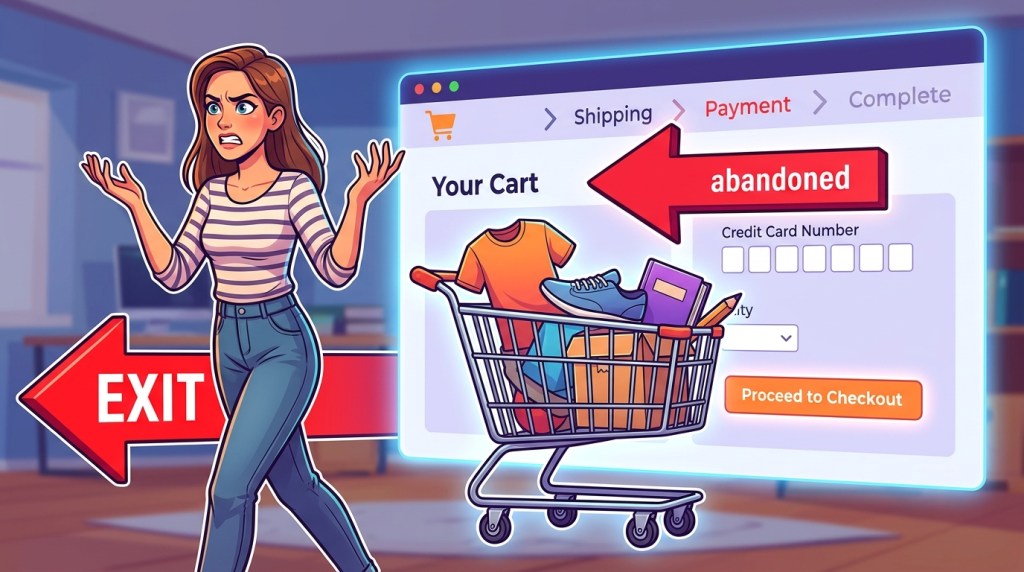
The average Shopify cart abandonment rate sits around 70–75%. For every 100 shoppers who add an item to their cart, only 25–30 complete the purchase. That’s not a marketing problem or a product problem — it’s a revenue leak that every store deals with, and one that targeted tactics can meaningfully close.
This guide covers 7 proven strategies to reduce cart abandonment on Shopify: understanding why carts get abandoned, fixing the friction that causes it, and recovering the revenue that still slips through with email, SMS, and retargeting.
Why Customers Abandon Carts: The Data
Before fixing the problem, you need to understand what’s causing it. Not all abandonment is the same — and the recovery strategy depends on the root cause.
According to the Baymard Institute’s ongoing research (2024 data, 44,000+ US online shoppers):
| Reason for abandonment | % of respondents |
|---|---|
| Extra costs too high (shipping, tax, fees) | 48% |
| Required to create an account | 26% |
| Delivery was too slow | 23% |
| Didn’t trust the site with credit card info | 25% |
| Too long / complicated checkout | 22% |
| Couldn’t see total order cost upfront | 21% |
| Website had errors / crashed | 20% |
| Wasn’t satisfied with return policy | 18% |
| Not enough payment methods | 13% |
This data maps directly to actionable fixes. The leading causes — unexpected costs and account creation friction — are both solvable with checkout adjustments, not more emails.
Strategy 1: Fix Checkout Friction First
Email recovery campaigns are important, but they’re a remedy for abandonment that’s already happened. Reducing friction during checkout prevents abandonment in the first place — and a 1% improvement in checkout conversion rate often has a larger dollar impact than a 10% improvement in email recovery rates.
Remove Mandatory Account Creation
Allow guest checkout unconditionally. After a successful purchase, offer the option to save their details — but don’t gate the purchase behind account creation. Shopify’s default settings support this; confirm yours are configured correctly.
Show All Costs Early
Shipping costs should be visible before the cart page if possible. Consider adding a shipping estimate calculator on product pages. The goal: no surprises at checkout.
Quick win: Display “Free shipping on orders over $X” prominently on product pages and in the cart. If you offer free shipping at a threshold, an “Add $12 more for free shipping” message in the cart is both helpful and conversion-positive.
Simplify the Checkout Flow
Shopify’s one-page checkout (introduced in Shopify 2023 and now default for new stores) reduces the number of form steps significantly. If you’re still on a multi-step checkout, this alone can improve completion rates by 10–15%.
Additional friction reducers:
- Auto-fill for shipping addresses (supported via browser autofill and Shop Pay)
- Address validation to catch errors before they cause failed orders
- Removing unnecessary form fields (middle name, secondary phone, etc.)
Strategy 2: Add an Exit-Intent Pop-Up at the Cart
An exit-intent pop-up triggered specifically when a visitor is about to leave the cart page is one of the highest-converting pop-up placements available. The visitor has already demonstrated strong purchase intent — they built a cart. A small intervention at the moment of departure can tip the balance.
What to offer:
- Free shipping (if you don’t already offer it universally)
- A small discount (10% or a flat dollar amount)
- Social proof — a review of the specific product in their cart
- Urgency — “Only 3 left in stock” (if true)
What not to do:
- Don’t show this pop-up to visitors who’ve already seen it without converting — frequency cap at 1 per session
- Don’t offer a discount if the visitor would have purchased anyway. Use behavioral signals (time on cart page, scroll depth) to identify hesitant buyers before triggering
FosterFlow’s pop-up builder lets you target exit-intent triggers specifically to the cart page and vary the offer based on cart value — so high-value carts get a different treatment than low-value ones.
Strategy 3: The 3-Email Abandoned Cart Sequence
The abandoned cart email sequence is the single highest-ROI automation for most Shopify stores. Klaviyo data shows that abandoned cart flows generate, on average, $5.81 per recipient — compared to $0.11 for standard campaigns.
A three-email sequence outperforms a single email by approximately 40–60% in revenue recovered.
Email 1: The Reminder (1 hour after abandonment)
Goal: Capture easy wins — people who got distracted, had connection issues, or simply forgot.
Format:
- Subject: “You left something behind”
- Show the exact products abandoned with images
- Single clear CTA: “Return to your cart”
- No discount yet — you don’t know if they need one
Expected open rate: 40–50%
Email 2: Social Proof + Urgency (24 hours after abandonment)
Goal: Convert the hesitant buyer who’s still considering.
Format:
- Subject: “Still thinking it over? Here’s what other customers say”
- Include 1–2 specific reviews for the abandoned product
- Add mild urgency: “Your cart is saved for another 24 hours”
- Optional: mention low stock if accurate
Expected open rate: 25–35%
Email 3: The Incentive (48–72 hours after abandonment)
Goal: Convert the price-sensitive buyer who won’t purchase without a nudge.
Format:
- Subject: “Here’s 10% off — your cart expires tonight”
- Present the discount clearly and simply
- Include a real countdown timer if possible
- Make this the last email — sending a fourth “last chance” email after this devalues urgency permanently
Expected open rate: 20–28%
Exit condition: If the customer purchases at any point in the sequence, all remaining emails must stop immediately. This is a basic hygiene requirement that some less sophisticated platforms miss — FosterFlow handles this automatically via real-time Shopify order sync.
Strategy 4: Add SMS to Your Recovery Stack
SMS abandonment messages consistently outperform email on open rate — the average SMS open rate is 98%, compared to 40–50% for abandoned cart emails. Click-through rates are also higher because the friction of opening a text is lower than an email.
Best practices for abandonment SMS:
- Timing: 1–3 hours after abandonment (closer to the moment than email follow-ups)
- Length: Short. The goal is a click back to the cart. 2–3 sentences maximum.
- Content: Cart reminder + direct link. You can include a discount code in the third SMS touchpoint.
- Compliance: Only send to customers who have explicitly opted in for SMS marketing. Shopify’s consent management and your email tool should both track this separately.
Sample SMS (Hour 2):
“Hi [Name], you left [Product] in your cart. Still interested? Your cart is saved: [link]”
Coordinate your SMS and email sequence so they don’t overlap awkwardly. A common rhythm: Email at 1 hour, SMS at 3 hours, Email at 24 hours, SMS at 48 hours (with discount), final Email at 72 hours.
Strategy 5: Trust Signals at Checkout
25% of abandonment is driven by trust concerns — visitors who want to buy but don’t feel confident enough to enter payment details. This is especially common for new stores without established brand recognition.
High-impact trust signals to add:
- Security badges: McAfee Secure, Norton, SSL certificate indicator — visible on the checkout page, not buried in the footer
- Payment method logos: Visa, Mastercard, Amex, PayPal, Shop Pay, Apple Pay. Seeing familiar payment options reduces anxiety.
- Return policy: “30-day free returns” visible at checkout. Shopify lets you add custom content to the checkout page.
- Social proof: “Trusted by 14,000+ customers” near the checkout button
- Contact accessibility: A visible email or chat link. Knowing help is available if something goes wrong reduces purchase risk perception.
For new stores, consider adding a money-back guarantee explicitly — “100% satisfaction guaranteed or full refund” — and testing whether it improves conversion rates on the checkout page specifically.
Strategy 6: Retargeting Ads Synced with Email Automation
Email recovery is effective, but it only reaches subscribers. Retargeting ads reach every cart abandoner — including visitors who browsed without opting in.
The key to retargeting that works is coordination with your email automation:
- Don’t run retargeting ads to contacts who’ve already purchased — this is both wasteful and annoying. Sync your “purchased” segment from your email tool to exclude them from ad audiences.
- Don’t run ads to contacts currently receiving email recovery sequences — you’re paying for redundant impressions. Run ads for non-subscribers; email handles subscribers.
- Use dynamic product ads. Show the exact product the visitor abandoned, not a generic brand ad. Facebook and Google both support dynamic product ads via your Shopify product catalog.
Recommended retargeting window: 7–14 days post-abandonment. Beyond that, conversion rates drop sharply.
FosterFlow’s audience sync feature can push suppression lists directly to Facebook and Google Ads audiences, ensuring your paid retargeting budget isn’t wasted on customers you’re already recovering through email.
Strategy 7: Optimize for Mobile Checkout
More than 65% of Shopify traffic comes from mobile devices — but mobile conversion rates are typically 30–40% lower than desktop. A significant portion of cart abandonment is simply mobile checkout friction.
Mobile checkout optimizations:
- Activate Shop Pay. Shop Pay’s accelerated checkout reduces mobile checkout time dramatically by storing shipping and payment details. Shopify reports that Shop Pay improves checkout conversion by up to 36% compared to standard checkouts.
- Test your checkout on real mobile devices. Emulators don’t catch everything. Fill out your entire checkout process on an iPhone and an Android device at least once per month.
- Compress your checkout page load time. Google’s data shows that 53% of mobile visitors abandon a page that takes more than 3 seconds to load. Run your checkout URL through Google PageSpeed Insights.
- Offer mobile-native payment methods. Apple Pay and Google Pay eliminate the need to enter card details manually — which is the single most friction-intensive step on mobile.
How Much Can You Actually Recover?
The math is straightforward. A store with:
- $500,000 annual revenue
- 70% cart abandonment rate
- $50 average order value
Has approximately $1.17 million in abandoned cart value annually.
Recovering just 5% of that is $58,500. Recovering 15% is $175,500.
Realistic recovery rates from a full abandoned cart strategy (email + SMS + retargeting):
- Email sequence alone: 5–8% of abandoned carts recovered
- Email + SMS: 8–12%
- Email + SMS + retargeting + checkout optimization: 12–20%+
The 30% reduction in overall abandonment rate comes from combining exit-intent pop-ups, checkout friction removal, and trust signal improvements — bringing fewer shoppers to the recovery stage in the first place.
Stop Losing Revenue You’ve Already Earned
Cart abandonment is the most predictable revenue leak in e-commerce — and it’s also one of the most fixable. The visitors have already found you, explored your products, and added items to their cart. Recovering them doesn’t require more ad spend or more traffic. It requires the right systems.
FosterFlow gives you every tool in this guide in a single Shopify-native platform: exit-intent pop-ups at the cart page, a pre-built 3-email abandoned cart sequence, SMS automation, real-time purchase suppression, and audience sync for retargeting — all connected to your live Shopify data.
Install FosterFlow and recover your first abandoned cart today →