
Automated Text Messages: Benefits & Examples
Automated text messages are SMS or MMS messages sent by software after a customer action, date, or rule. For Shopify stores, they can confirm orders, recover carts, announce shipping updates, collect reviews, and bring customers back after a quiet period. The value is speed: a text reaches the customer while the moment still matters.
What Are Automated Text Messages?
Automated text messages are prewritten SMS or MMS messages triggered by customer behavior or store events. A shopper signs up, starts checkout, buys, misses a delivery update, or becomes inactive. The system sends the right message without a person typing it each time.
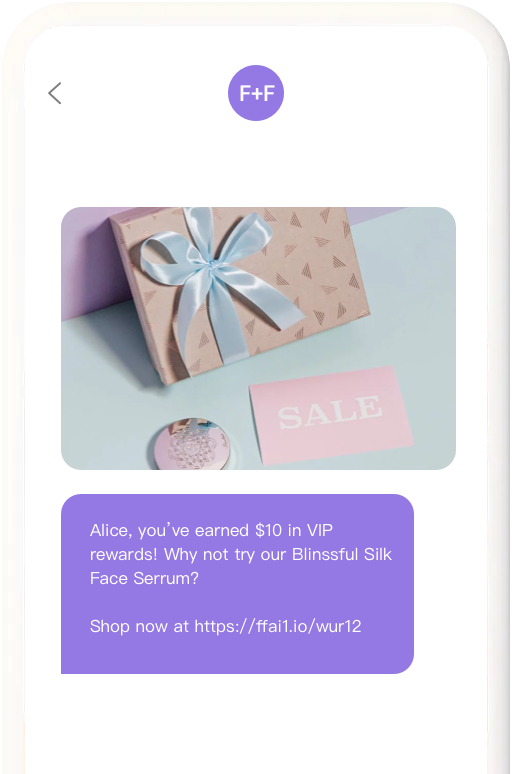
That does not mean the message should feel robotic. A good automated text is short, specific, and useful. It tells the customer what happened, what to do next, or why the message is worth their attention.
For Shopify merchants, text automation is usually tied to events such as checkout started, order paid, order fulfilled, product back in stock, subscription renewal, loyalty milestone, or customer segment change. FosterFlow’s Shopify SMS marketing tools are built for those ecommerce moments, not generic bulk texting.
Benefits of Automated Text Messages
Automated text messages help ecommerce teams respond faster, recover more buying intent, reduce support questions, and keep repeat purchase moments from slipping by. They work best when they are tied to consent, customer behavior, and a clear next step.
The first benefit is timing. Email is strong for detail, but SMS is strong for immediacy. If a customer left checkout two minutes ago, a short cart reminder can land while the product is still fresh in their mind.
The second benefit is consistency. Your team does not need to remember every order update, pickup reminder, or review request. The rule runs every time.

The third benefit is focus. A text forces you to say one thing. That constraint is useful. Instead of a long promo email with five links, a text can say: “Your cart is still saved. Complete checkout here.” One job. One link.
The fourth benefit is retention. Automated texts can remind customers to reorder, announce a price drop, or invite VIPs into early access. If your store already uses Shopify workflow automation, SMS becomes another channel inside the same customer journey rather than a separate campaign calendar.
Automated Text Message Examples
The best automated text message examples are short enough to read in one glance and specific enough to feel earned. Here are common ecommerce examples you can adapt.

Welcome text
“Thanks for joining [Brand]. Your 10% code is WELCOME10. Start with our best sellers: [link] Reply STOP to opt out.”
This text works because it delivers the signup promise immediately. It does not try to explain the whole brand. The customer asked for a benefit, so the first message gives it to them.
Abandoned cart text
“Still thinking it over? Your cart is saved for the next 24 hours: [link] Reply STOP to opt out.”
This is most useful when sent soon after checkout starts. Do not send five versions of the same reminder. If you need a second text, make it about shipping, fit, support, or another real concern.
Order confirmation text
“Order #[number] is confirmed. We will send tracking when it ships. Questions? Reply here or visit [support link].”
An order confirmation text lowers anxiety. It also reduces support tickets from customers wondering whether checkout worked. For templates, see FosterFlow’s guide to appointment confirmation text message templates, which includes useful wording patterns for confirmations and reminders.
Back-in-stock text
“Good news: [Product] is back in stock. Sizes are limited: [link] Reply STOP to opt out.”
Back-in-stock texts work because the customer already showed demand. Keep the message direct. The product is available again, and the next step is to buy before it sells through.
Review request text
“How did [Product] work out? Leave a quick review here: [link]. It helps other shoppers choose with more confidence.”
Send this only after the customer had enough time to receive and use the item. A review request before delivery feels careless.
Win-back text
“We saved a few new arrivals you might like, based on your last order: [link]. Reply STOP to opt out.”
A win-back text should feel selective. If you blast every inactive customer with the same coupon, the channel gets tired fast.
How to Set Up Automated Text Messages
To set up automated text messages, collect SMS consent, choose one customer trigger, write one short message, add stop language, set quiet hours, and test the flow before it goes live. Start with one automation before building a full SMS program.
1. Confirm consent. Only text customers who clearly opted in for SMS.
2. Pick one trigger. Checkout started, order confirmed, product back in stock, or customer inactive are good starting points.
3. Write the message. Use one idea, one link, and plain language.
4. Add compliance text. Include opt-out language such as “Reply STOP to opt out.”
5. Set timing rules. Avoid late-night messages and avoid sending too many messages close together.
6. Add exit rules. Stop cart texts after purchase. Stop win-back texts after reply, order, or unsubscribe.
7. Test on your own number. Check the link, merge fields, timing, and sender name.
If SMS is new for your store, compare platforms before you build. FosterFlow’s roundup of SMS marketing platforms for 2026 covers the tradeoffs merchants usually hit first.
Automated Text Message Best Practices
Write texts like a helpful store associate, not a billboard. A customer gave you a direct line to their phone. Treat that as a high-trust channel.
Keep messages under one main idea. If the goal is cart recovery, do not add a product launch, loyalty pitch, and survey link. If the goal is shipping clarity, do not sneak in a discount code.
Use names and product details only when they help. “Your hoodie is back in stock” is useful. “Hi Sarah, our brand family misses you” is awkward. Personalization should make the message clearer, not fake intimacy.
Watch frequency. A customer who receives a welcome text, cart reminder, sale text, shipping text, and review request in one week may opt out even if every message is technically relevant. Suppression rules matter.
Pair SMS with email. Email can carry detail, visuals, and product education. SMS can handle urgency and short reminders. The split between channels is covered well in FosterFlow’s omnichannel vs multichannel guide.
Automated Text Messages vs Email Automation
Text messages and email automation should not fight for the same job. Use SMS when speed and brevity matter. Use email when the customer needs context, images, options, or a longer explanation.
Cart recovery is a good example. An email can show products, reviews, return policy, and related items. A text can remind the shopper that the cart is saved and send them straight back to checkout. Together, they are stronger than either channel alone.
Post-purchase is another example. Email can explain care instructions or next steps. SMS can send delivery alerts and short support prompts. The channels should share the same customer state so they do not repeat or contradict each other.
For Shopify teams choosing tools, the best SMS marketing apps for Shopify comparison is a useful place to check feature fit before committing.
Metrics to Track for Automated Text Messages
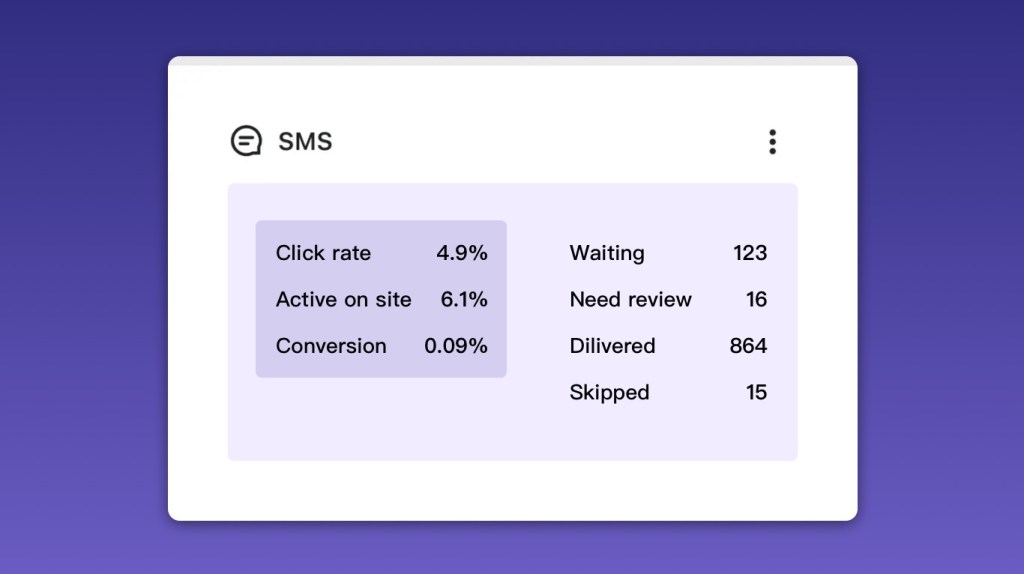
Track click rate, conversion rate, revenue per recipient, unsubscribe rate, complaint rate, and reply quality. A high click rate with high opt-outs is not a win. It means the message got attention but may have damaged permission.
For transactional texts, watch support impact. If order confirmation texts reduce “where is my order?” tickets, that matters even when the text does not directly create revenue.
For marketing texts, compare by trigger. A cart text, back-in-stock alert, and win-back message should not be judged against one another with the same expectations. The customer intent is different.
Review the first 30 days closely. Look for texts that get replies, texts that produce opt-outs, and links that fail on mobile. SMS is unforgiving when the next step is clunky.
Automated Text Message FAQ
Are automated text messages legal for ecommerce?
Automated text messages can be legal when customers clearly consent to receive SMS and the store follows opt-out, sender, and timing rules. Requirements vary by country and region. Treat consent and unsubscribe handling as core setup work, not a last-minute footer.
How many automated texts should a store send?
Start with one to three automated texts per customer journey. A cart sequence might use one or two. A post-purchase path may use order, shipping, and review texts. More messages require stronger segmentation and suppression rules.
Should automated texts include discounts?
Use discounts carefully. They can help cart recovery and win-back flows, but constant discount texts teach customers to wait. Many automated texts work better with service value: stock alerts, delivery updates, product tips, and timely reminders.
Start with the Text Customers Expect
The safest first automated text is usually transactional: order confirmation, shipping update, appointment reminder, or back-in-stock alert. Customers expect those messages, and the value is obvious.
After that, add cart recovery or a welcome text. Keep it measured. Automated text messages work because they are timely and useful. The moment they become noisy, customers take the permission back.