
25 Free Confirmation Email Templates & Examples
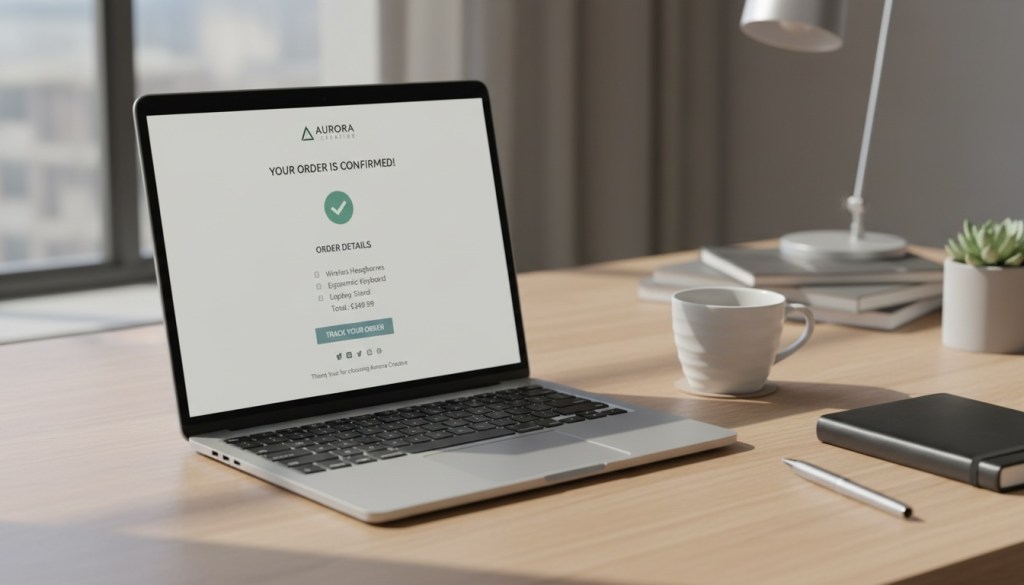
Every time someone clicks “buy now” or “book appointment” on your site, they’re waiting for one thing: proof it worked. That’s where confirmation emails come in. They’re not just nice to have—they’re the digital handshake that tells your customers everything went through.
And here’s the thing: people actually read these emails. We’re talking open rates between 65% and 70%, compared to around 20% for regular marketing emails. That’s a massive opportunity to build trust, reduce support tickets, and maybe even drive another sale.
In this guide, we’ll walk you through 25 free confirmation email templates you can start using today. We’ll cover everything from order confirmations to appointment reminders, plus the strategies that make them work.
What Are Confirmation Emails?
Confirmation emails are automated messages triggered when someone completes a specific action on your website or app. They serve one main purpose: reassure the person that their action was successful and tell them what happens next.
Think about the last time you booked a flight or bought something online. Within seconds, you probably got an email with your order number, receipt, and delivery details. That’s a confirmation email doing its job.
These messages are triggered automatically when customers complete an action or meet specific criteria. They can confirm purchases, bookings, registrations, password changes, or subscription signups.
But here’s what most businesses miss: confirmation emails converted 2,361% better than regular campaigns in 2024, and one in three people who clicked automated messages made a purchase.
Why Confirmation Emails Matter
Let’s be real—nobody wants to wonder if their $500 order actually went through or if their hotel reservation got lost in the system. Confirmation emails remove that anxiety instantly.
Here are three reasons they matter:
They build immediate trust. Purchase confirmation emails have high open rates as most customers want reassurance that you have received their order and are working towards fulfilling it. When you respond within seconds, customers feel confident in your business.
They prevent support headaches. A well-crafted confirmation email answers the questions customers would otherwise email or call about. Order number? Check. Delivery date? Check. Contact info if something goes wrong? Check.
They create revenue opportunities. Automated emails achieved open rates 52% higher than campaigns and converted 2,361% better in 2024. When you’ve got someone’s attention at peak engagement, you can suggest related products or offer loyalty program signups—without being pushy.
For platforms like FosterFlow that handle workflow automation, confirmation emails can be the bridge between action and outcome. They keep users informed while your flow automation does the heavy lifting behind the scenes.
5 Main Types of Confirmation Emails
Different actions need different messaging. Here are the five types you’ll use most often:
Order confirmations verify that a purchase went through and include order details, payment info, and shipping estimates. These emails have high open rates because your customers will want to ensure their order details are correct and to make sure they’re clear on next steps.
Booking confirmations apply to reservations—hotels, restaurants, events, or services. These emails serve as a thank you to customers to confirm their online bookings and typically include an overview of the reservation details and next steps.
Appointment confirmations nail down scheduled meetings, consultations, or service appointments. They reduce no-shows by giving people clear details about when and where to show up.
Registration confirmations welcome new users to your platform or newsletter. The registration confirmation is the first touchpoint with your new user or customer, and you never get a second chance at making a first impression.
Shipping confirmations let customers know their order is on the way. These typically include tracking numbers and estimated delivery dates.
25 Confirmation Email Templates
Now let’s get into the templates. We’ve organized them by type so you can find exactly what you need.
Order Confirmation Templates
Template 1: Basic Order Confirmation
Subject: Order #[ORDER_NUMBER] confirmed – Thanks for your purchase!
Hey [FIRST_NAME],
We’ve got your order and we’re on it. Here’s what’s happening next.
Order number: [ORDER_NUMBER]
Order date: [DATE]
Total: [TOTAL_AMOUNT]
What you ordered:
[PRODUCT_LIST]
We’ll send you another email with tracking info once your order ships (usually within 1-2 business days).
Questions? Just reply to this email or call us at [PHONE_NUMBER].
Thanks for shopping with us!
[COMPANY_NAME]
Template 2: Order Confirmation with Upsell
Subject: Your order is confirmed, [FIRST_NAME]!
Hey [FIRST_NAME],
Your order (#[ORDER_NUMBER]) is confirmed and we’re getting it ready to ship.
Your order:
[PRODUCT_DETAILS]
Total: [AMOUNT]
Estimated delivery: [DATE]
People who bought this also loved:
[RECOMMENDED_PRODUCTS]
We’ll notify you as soon as your package ships.
[COMPANY_NAME]
Template 3: Digital Product Order Confirmation
Subject: [PRODUCT_NAME] is ready for you!
Hey [FIRST_NAME],
You’re all set. Your purchase of [PRODUCT_NAME] is complete.
Access your product here: [DOWNLOAD_LINK]
Order details:
Order #[ORDER_NUMBER]
Purchase date: [DATE]
Amount: [AMOUNT]
Need help getting started? Check out our getting started guide.
Enjoy!
[COMPANY_NAME]
Template 4: Subscription Order Confirmation
Subject: Welcome to [SUBSCRIPTION_NAME]!
Hey [FIRST_NAME],
Your subscription is active. Here’s what you need to know:
Subscription: [PLAN_NAME]
Billing amount: [AMOUNT]
Next billing date: [DATE]
Manage subscription: [ACCOUNT_LINK]
You now have access to [LIST_BENEFITS].
Log in to get started: [LOGIN_LINK]
[COMPANY_NAME]
Template 5: Pre-Order Confirmation
Subject: Pre-order confirmed for [PRODUCT_NAME]
Hey [FIRST_NAME],
Thanks for pre-ordering [PRODUCT_NAME]! You’re on the list.
Expected release date: [DATE]
Order number: [ORDER_NUMBER]
Amount paid: [AMOUNT]
We’ll send you shipping details as soon as your item is ready.
[COMPANY_NAME]
Appointment Confirmation Templates
Template 6: Basic Appointment Confirmation
Subject: Your appointment is confirmed for [DATE]
Hi [CLIENT_NAME],
This confirms your appointment:
Date: [DATE]
Time: [TIME]
Location: [ADDRESS]
With: [STAFF_NAME]
Please arrive 10 minutes early. Need to reschedule? Reply to this email or call [PHONE_NUMBER].
See you soon!
[BUSINESS_NAME]
Template 7: Medical Appointment Confirmation
Subject: Appointment confirmed – [DATE] at [TIME]
Hello [PATIENT_NAME],
Your appointment is confirmed:
Date: [DATE]
Time: [TIME]
Provider: Dr. [DOCTOR_NAME]
Location: [CLINIC_ADDRESS]
Please bring your insurance card and arrive 15 minutes early to complete paperwork.
Need to cancel or reschedule? Call us at [PHONE_NUMBER] at least 24 hours in advance.
[CLINIC_NAME]
Template 8: Virtual Meeting Confirmation
Subject: Meeting confirmed – [DATE] at [TIME]
Hi [NAME],
Your virtual meeting is all set:
Date: [DATE]
Time: [TIME]
Meeting link: [VIDEO_LINK]
Duration: [DURATION]
We’ll send you a reminder 1 hour before the meeting starts.
[COMPANY_NAME]
Template 9: Service Appointment Confirmation
Subject: We’ll see you on [DATE]!
Hey [CUSTOMER_NAME],
Your service appointment is confirmed.
Service: [SERVICE_TYPE]
Date: [DATE]
Time: [TIME]
Address: [LOCATION]
Technician: [TECH_NAME]
We’ll call 30 minutes before we arrive.
Questions? Text or call [PHONE_NUMBER].
[COMPANY_NAME]
Template 10: Consultation Confirmation
Subject: Your free consultation is booked
Hi [NAME],
Looking forward to speaking with you!
Consultation date: [DATE]
Time: [TIME]
Call number: [PHONE_NUMBER]
We’ll call you at this number. Have your questions ready.
Talk soon!
[COMPANY_NAME]
Booking Confirmation Templates
Template 11: Hotel Reservation Confirmation
Subject: Your stay at [HOTEL_NAME] is confirmed
Hello [GUEST_NAME],
Your reservation is confirmed!
Confirmation number: [CONF_NUMBER]
Check-in: [DATE]
Check-out: [DATE]
Room type: [ROOM_TYPE]
Number of guests: [GUESTS]
Hotel address: [ADDRESS]
Check-in time: 3:00 PM
Check-out time: 11:00 AM
Need to make changes? Visit [BOOKING_LINK]
We’ll see you soon!
[HOTEL_NAME]
Template 12: Event Registration Confirmation
Subject: You’re registered for [EVENT_NAME]!
Hey [FIRST_NAME],
You’re in! Here are your event details:
Event: [EVENT_NAME]
Date: [DATE]
Time: [TIME]
Location: [VENUE_ADDRESS]
Ticket type: [TICKET_TYPE]
Add to calendar: [CALENDAR_LINK]
We’ll send you a reminder the day before.
Can’t wait to see you there!
[ORGANIZATION_NAME]
Template 13: Restaurant Reservation Confirmation
Subject: Table reserved at [RESTAURANT_NAME]
Hi [NAME],
Your table is booked:
Date: [DATE]
Time: [TIME]
Party size: [NUMBER] people
Location: [ADDRESS]
Running late or need to cancel? Call us at [PHONE_NUMBER].
See you soon!
[RESTAURANT_NAME]
Template 14: Flight Booking Confirmation
Subject: Booking confirmed – [DEPARTURE] to [DESTINATION]
Hello [PASSENGER_NAME],
Your flight is booked!
Booking reference: [REF_NUMBER]
Flight: [FLIGHT_NUMBER]
Departure: [DEPARTURE_CITY] – [DATE] at [TIME]
Arrival: [DESTINATION_CITY] – [DATE] at [TIME]
Check-in opens: [DATE]
Manage booking: [LINK]
Have a great flight!
[AIRLINE_NAME]
Template 15: Class Registration Confirmation
Subject: You’re enrolled in [CLASS_NAME]
Hey [STUDENT_NAME],
Welcome to the class!
Class: [CLASS_NAME]
Start date: [DATE]
Time: [TIME]
Location: [ADDRESS/ONLINE]
Instructor: [INSTRUCTOR_NAME]
First class: [DATE]
Access materials: [LINK]
Questions? Email [INSTRUCTOR_EMAIL].
[SCHOOL/ORGANIZATION_NAME]
Registration & Subscription Templates
Template 16: Account Registration Confirmation
Subject: Welcome to [COMPANY_NAME]!
Hey [FIRST_NAME],
Your account is ready to go.
Username: [USERNAME]
Email: [EMAIL]
Log in here: [LOGIN_LINK]
New to our platform? Start with our quick setup guide: [GUIDE_LINK]
Need help? We’re here: [SUPPORT_EMAIL]
Welcome aboard!
[COMPANY_NAME]
Template 17: Newsletter Subscription Confirmation
Subject: You’re subscribed to [NEWSLETTER_NAME]
Hey [FIRST_NAME],
Thanks for subscribing! You’ll get our newsletter every [FREQUENCY].
What to expect:
- [BENEFIT_1]
- [BENEFIT_2]
- [BENEFIT_3]
Your first email arrives [DATE].
Not interested anymore? Unsubscribe anytime using the link at the bottom of our emails.
[COMPANY_NAME]
Template 18: Webinar Registration Confirmation
Subject: You’re registered for [WEBINAR_NAME]
Hi [NAME],
You’re all set for our webinar!
Topic: [WEBINAR_NAME]
Date: [DATE]
Time: [TIME] [TIMEZONE]
Join link: [WEBINAR_LINK]
Add to calendar: [CALENDAR_LINK]
We’ll send you a reminder 1 hour before we start.
Can’t make it live? No worries—we’ll send you the recording.
See you there!
[COMPANY_NAME]
Template 19: Membership Confirmation
Subject: Welcome to [MEMBERSHIP_NAME]!
Hey [FIRST_NAME],
Your membership is active!
Membership level: [LEVEL]
Start date: [DATE]
Renewal date: [DATE]
Member number: [NUMBER]
Your benefits:
[LIST_OF_BENEFITS]
Access your member portal: [PORTAL_LINK]
Enjoy your membership!
[ORGANIZATION_NAME]
Template 20: Trial Signup Confirmation
Subject: Your free trial is live
Hey [FIRST_NAME],
Your [DURATION]-day free trial just started!
Trial ends: [DATE]
Plan: [PLAN_NAME]
What’s included:
[FEATURE_LIST]
Get started: [LOGIN_LINK]
We won’t charge you until your trial ends. Cancel anytime before [DATE] to avoid charges.
[COMPANY_NAME]
Shipping & Delivery Templates
Template 21: Shipping Confirmation
Subject: Your order has shipped!
Hey [FIRST_NAME],
Good news—your order is on the way!
Order number: [ORDER_NUMBER]
Tracking number: [TRACKING_NUMBER]
Carrier: [CARRIER_NAME]
Estimated delivery: [DATE]
Track your package: [TRACKING_LINK]
[COMPANY_NAME]
Template 22: Delivery Confirmation
Subject: Your order was delivered
Hi [FIRST_NAME],
Your order (#[ORDER_NUMBER]) was delivered today at [TIME].
Delivered to: [ADDRESS]
Love your purchase? Leave us a review: [REVIEW_LINK]
Any issues? Contact us: [SUPPORT_EMAIL]
[COMPANY_NAME]
Template 23: Pickup Ready Confirmation
Subject: Your order is ready for pickup
Hey [FIRST_NAME],
Your order is ready!
Order number: [ORDER_NUMBER]
Pickup location: [STORE_ADDRESS]
Hours: [STORE_HOURS]
Bring this email and your ID. We’ll have it ready at the counter.
[COMPANY_NAME]
Payment & Cancellation Templates
Template 24: Payment Confirmation
Subject: Payment received – [AMOUNT]
Hi [NAME],
We’ve received your payment.
Amount: [AMOUNT]
Payment method: [METHOD]
Transaction ID: [TRANS_ID]
Date: [DATE]
View receipt: [RECEIPT_LINK]
Questions? Reply to this email.
[COMPANY_NAME]
Template 25: Cancellation Confirmation
Subject: Your [SERVICE/ORDER] has been cancelled
Hi [NAME],
We’ve processed your cancellation.
Cancelled item: [ITEM/SERVICE]
Cancellation date: [DATE]
Refund amount: [AMOUNT]
Refund timeline: [TIMEFRAME]
Your refund will appear in your account within [DAYS] business days.
Changed your mind? Contact us at [SUPPORT_EMAIL].
[COMPANY_NAME]
Best Practices for Confirmation Emails
Templates are great, but they need the right approach to work. Here’s what makes confirmation emails effective:
Send them immediately. Confirmation emails should be triggered in real time because the customer has just completed an action and expects immediate acknowledgment. Within seconds, not minutes.
Keep subject lines clear. Confirming actions in your subject lines improves trust and influences open rates. Skip the creativity here—”Order #1234 Confirmed” beats “You’re going to love this!” every time.
Make it mobile-friendly. Almost 55% of hotel bookings happen on mobile devices, so emails must render perfectly on phones with responsive design and clear, scalable visuals.
Include all the details. Order number, date, amount, next steps—if they’d need to contact support to ask for it, put it in the email.
Use personalization. Names, purchase details, and specific actions show this email is for them, not a generic blast.
Add a clear CTA. Whether it’s “Track your order,” “Add to calendar,” or “Start using your account,” make the next step obvious.
For businesses using data analytics and insights to track customer behavior, confirmation emails provide rich data on engagement and can trigger follow-up workflows based on user actions.
Design Tips That Make a Difference
Your confirmation email doesn’t need fancy graphics, but it should look professional and be easy to scan.
Use a simple, clean layout with plenty of white space. Keep sentences under 20 words, and use bolded key details like order numbers, dates, and amounts so customers can find what they need in seconds.
Match your brand colors and include your logo. Consistency builds recognition and trust.
Use buttons for CTAs instead of text links. They’re easier to tap on mobile and stand out better.
Make sure your emails work across all email clients. Test them in Gmail, Outlook, Apple Mail, and mobile apps before sending.
Conclusion
Confirmation emails might seem basic, but they’re one of the most powerful tools in your communication arsenal. They build trust, reduce friction, and create opportunities to deepen customer relationships—all in a few seconds.
The 25 templates we’ve shared here cover the most common scenarios you’ll encounter, from order confirmations to cancellations. Start with these, customize them to match your brand voice, and watch how something as simple as a well-crafted confirmation email can improve your customer experience.
And if you’re looking to automate these workflows while keeping everything running smoothly, check out what FosterFlow can do for your business operations.