
How to Do a Shopify Email Automation Setup
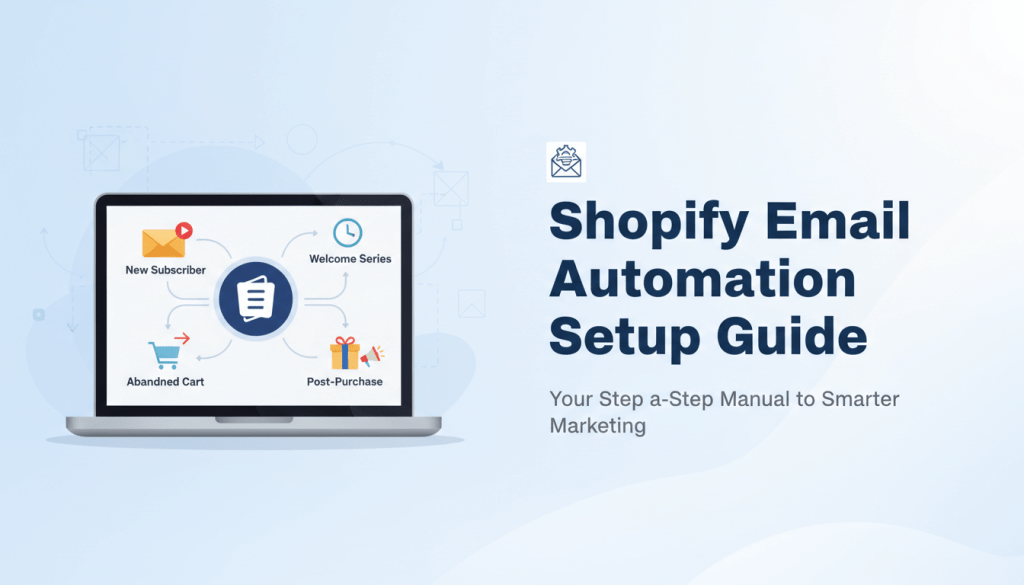
Running a Shopify store means juggling dozens of tasks at once. Product updates. Inventory management. Customer inquiries. The last thing you want is to manually send every single email to every single customer.
That’s where email automation changes everything.
According to VIB Tech’s email marketing research, automated emails generate 4x more revenue than one-off sends. Despite making up just 2% of sends, automated messages drove 37% of sales. Think about that for a moment—a tiny fraction of your email volume could be responsible for more than a third of your revenue.
At FosterFlow, we’ve built our entire platform around making Shopify email automation as seamless as possible. In this guide, we’ll walk you through everything you need to know to set up automated email workflows that convert browsers into buyers—without you lifting a finger after the initial setup.
Why Email Automation Matters for Your Shopify Store
Hostinger’s marketing statistics show that the average ROI of email marketing campaigns is $36 for every $1 spent. Email Monday’s ROI report reveals that retail, eCommerce, and consumer goods have the highest email ROI of any sector at 4500%. If you’re running an online store and not using email automation, you’re leaving serious money on the table.
Shopify’s automation guide explains that email marketing automation is a technology that automatically sends emails from your email service provider based on specific behavioral triggers. Within ecommerce, those triggers often include signing up for a newsletter, abandoning a cart, or making a purchase.
The beauty of automation is timing. FreeCodeCamp’s Shopify tutorial notes that emails are automatically sent based on triggers you set up so that they reach your customers when they’re most likely to convert. A welcome email hits their inbox the moment they subscribe. An abandoned cart reminder shows up exactly when they need that little nudge. A post-purchase follow-up arrives while your brand is still fresh in their mind.
As Shopify’s blog puts it, without email automation, you’d be stuck at your computer all day sending out emails instead of getting on with the important tasks your business demands.
What You Need Before Setup
Before diving into the technical setup, take a few minutes to prepare. You’ll need three things ready to go.
Your Shopify store connected to an email platform. Native Shopify Email works for basic automations, but a dedicated platform like FosterFlow gives you far more flexibility. We offer two-way CRM data synchronization and full Events API coverage, meaning every customer action in your store can trigger perfectly timed emails.
Your brand assets organized. Logos, colors, fonts—the visual elements that make your emails look professional. FosterFlow auto-syncs your Shopify theme colors, fonts, and images directly into the email editor. No manual uploading or color-code copying required.
A clear goal for each automation. What do you want each workflow to accomplish? More first-time purchases? Higher repeat customer rates? Fewer abandoned carts? Define your objectives before building.
Step-by-Step: Setting Up Your First Automation
Mailmodo’s Shopify guide explains that setting up email automation on Shopify is a straightforward process. Simply go to the Shopify dashboard, navigate to the Marketing tab, and select “Automation.” From there, you can create and customize various automated email campaigns based on customer triggers and events.
If you’re using FosterFlow, the process is even simpler. Connect your Shopify store with a single click. Choose from pre-built flow templates designed specifically for e-commerce—welcome series, browse abandonment, cart recovery, post-purchase sequences, and more. Our drag-and-drop builder lets you customize every element without touching any code.
Here’s the basic flow:
Navigate to your automation dashboard. Select the type of automation you want to create. Praella’s setup guide recommends determining the conditions that will trigger your automated emails. For example, for abandoned cart emails, you might set a trigger to send the email 24 hours after a customer leaves items in their cart.
Customize your email template to match your brand voice. Set your timing preferences. Turn on the automation and let it run.
Shopify’s email marketing platform offers ready-to-use automations like welcome, winback, and upsell emails. With pre-selected conditions, triggers, and actions, automations are active in a few clicks.
5 Must-Have Email Automations
Not all automations are created equal. Some drive significantly more revenue than others. Based on our data working with thousands of Shopify stores, these five workflows consistently deliver the best results.
Welcome Series — EmailChef’s statistics roundup reports that welcome emails have the highest open rate, with an average of 69% opens (reaching up to 80%). This is your first impression. Make it count with a warm introduction, a special offer, and clear next steps.
Abandoned Cart Recovery — FreeCodeCamp explains that you can use the abandoned cart email automation process to bring customers back with their cart and complete their transaction. Abandoned carts are triggered after a set period of time, usually between 60 minutes and 24 hours.
Browse Abandonment — Target shoppers who viewed products but didn’t add anything to their cart. A gentle reminder with the products they looked at can bring them back.
Post-Purchase Follow-up — Shopify’s automation blog notes that automated email campaigns are a great way to stay in touch with customers after they’ve made a purchase. Sending post-purchase emails like thank you messages and customer surveys can help show customers you care about their experience.
Win-Back Campaigns — Re-engage customers who haven’t purchased in a while. A special offer or “we miss you” message can reactivate dormant customers.
Segmentation
HubSpot’s marketing statistics reveal that marketers report segmented emails drive 30% more opens and 50% more clickthroughs than unsegmented ones. Sending the same email to everyone is a missed opportunity.
Praella’s Shopify guide emphasizes that segmentation is a crucial aspect of email marketing. By categorizing your customers based on their behavior, preferences, or demographics, you can deliver more personalized and relevant content. Shopify allows you to create different customer segments, enabling you to target specific groups with tailored messages.
FosterFlow takes this further. We pull your existing Shopify Saved Customer Segments directly into our platform for instant campaign targeting. You can also create dynamic segments that auto-update based on real-time purchase and engagement data.
Smart segmentation ideas:
Segment by purchase history (first-time buyers vs. repeat customers). Segment by average order value (high spenders get different offers). Segment by engagement level (active subscribers vs. those going cold). Segment by product category interest (based on browsing behavior).
We automatically write engagement data back to Shopify as Customer Tags (like fosterflow_active_opener), giving you unified data management across platforms.
Optimizing Send Times with AI
Here’s something most store owners overlook: when you send an email matters almost as much as what you send.
Hostinger reports that email automation remains a top priority for 58% of marketers. But smart marketers go beyond basic automation. They optimize delivery timing for each individual subscriber.
FosterFlow’s Automated Optimal Send Time (AOST) feature uses machine learning to analyze when each customer is most likely to open and engage with your emails. Instead of blasting everyone at 9 AM on Tuesday, we deliver each email at the moment that specific person is most likely to act.
Shopify’s email platform lets you choose a recommended send time, powered by Sidekick, to drive higher click-through rates to your store automatically. Our platform takes this concept even further with AI-powered optimization that analyzes your Shopify data to deliver hyper-personalized campaigns.
Connecting Automations to Shopify Flow
If you’re already using Shopify Flow for backend automation, you’ll love how FosterFlow integrates. We offer full two-way integration.
Use FosterFlow events (like “Email Delivered” or “Email Opened”) as triggers in your Shopify workflows. Use FosterFlow actions (like “Send FosterFlow Email”) as steps in Shopify Flow. This creates a unified automation ecosystem where your email marketing and store operations work together seamlessly.
For example: A customer reaches VIP status in your loyalty program (Shopify Flow trigger). That automatically triggers a special VIP welcome email from FosterFlow. The customer opens the email (FosterFlow event). That sends data back to Shopify to update their customer profile.
Everything stays in sync without manual intervention.
Key Metrics to Track
Designmodo’s ROI statistics indicate that a good email open rate in 2025 is above 30%, with 45-50% being strong, and over 50% being exceptional. On average, the email click-through rate across all campaigns is about 2%.
Here’s a quick reference for healthy email automation metrics:
| Metric | Average | Good | Excellent |
|---|---|---|---|
| Open Rate | 20-25% | 30-40% | 45%+ |
| Click-Through Rate | 1-2% | 2-4% | 4%+ |
| Conversion Rate | 1-2% | 3-5% | 5%+ |
| Unsubscribe Rate | <0.5% | <0.3% | <0.1% |
HubSpot notes that clickthrough rate is the number one metric marketers use to track the success of their email marketing campaigns. But don’t stop there. Track revenue per email, revenue per recipient, and customer lifetime value improvements tied to your automations.
FosterFlow provides actionable analytics with deep insights into campaign performance and revenue drivers. You’ll see exactly which automations are pulling their weight and which need adjustment.
Common Mistakes to Avoid
Praella warns that automated emails are not a set-it-and-forget-it solution; they require regular attention to ensure they remain relevant and effective.
Over-emailing your list. VIB Tech reports that 40% of users have 50+ unread marketing emails in their inbox. Don’t add to the noise. Use frequency caps to prevent email fatigue.
Ignoring mobile optimization. EmailChef states that approximately 60% of emails are read daily on mobile devices. If your emails look terrible on phones, you’re losing the majority of your audience.
Generic messaging. Shopify explains that automated emails like personalized product recommendations based on browsing history show customers that you care about their individual preferences. When you send tailored messages based on user behavior, you’re more likely to reach customers when they are ready to act.
Skipping the test phase. Mailmodo recommends testing different sending frequencies and monitoring customer response to find the optimal cadence for your automated email campaigns. A/B test subject lines, send times, and content variations.
What It Costs to Get Started
Email automation doesn’t have to break the bank. FosterFlow offers pricing plans that scale with your business. Our Essential Plan starts at $9/month with 5,000 emails and up to 10,000 contacts. The Growth Plan at $18/month gives you 12,000 emails. And our Premium Plan at $109/month includes unlimited emails for high-volume senders.
Every plan includes unlimited marketing workflows, customer segmentation, email templates, and multi-channel capabilities including email, pop-ups, and ads.
For enterprise-level needs, we offer custom plans with dedicated success managers, quarterly business reviews, custom integrations, and priority 24/7 support.
Conclusion
Setting up Shopify email automation doesn’t have to be complicated. With the right tools and a clear strategy, you can have behavior-triggered emails running within the hour.
Start with the fundamentals: a strong welcome series and abandoned cart recovery. These two automations alone can recover significant revenue you’re currently losing. Then expand into browse abandonment, post-purchase sequences, and win-back campaigns.
Remember that automation is just the beginning. Combine it with smart segmentation, AI-powered send time optimization, and continuous testing to maximize your results. With $36 average ROI for every $1 spent on email marketing, proper automation can help you beat that average and then some.
Ready to see what FosterFlow can do for your Shopify store? Start your free trial and launch your first automated campaign today.
Frequently Asked Questions
How long does it take to set up Shopify email automation?
With FosterFlow, you can connect your Shopify store and launch your first automated campaign in under 30 minutes. Pre-built templates for common workflows like welcome emails and abandoned cart recovery eliminate the need to build from scratch. Customizing colors, content, and timing takes just a few more minutes.
What’s the best email automation for Shopify beginners?
Start with abandoned cart recovery. It targets customers who already showed buying intent by adding products to their cart. FreeCodeCamp explains that abandoned cart emails bring customers back with their cart to complete the transaction, triggered between 60 minutes and 24 hours after abandonment. The product list reminds them what they were doing and leads them back to checkout.
Can I use Shopify’s built-in email automation or do I need a third-party app?
Mailmodo notes that Shopify offers integrations with several third-party email marketing platforms that provide additional features and capabilities. Native Shopify Email handles basic automations, but apps like FosterFlow provide advanced features including two-way Shopify Flow integration, AI-powered optimization, and dynamic segmentation.
How many automated emails should I send per week?
Mailmodo advises that the frequency of automated emails depends on your specific business and customer preferences. It’s about striking a balance between staying engaged and avoiding email fatigue. Most successful stores find that 2-4 automated touches per week works well, but test different frequencies with your specific audience.
Does email automation really improve sales?
Yes. VIB Tech reports that automated emails generate 4x more revenue than one-off sends, and despite making up just 2% of sends, automated messages drove 37% of sales. The combination of perfect timing, relevance, and personalization makes automated emails far more effective than manual campaigns.