
How to Set Up Abandoned Cart Emails in Under 10 Minutes
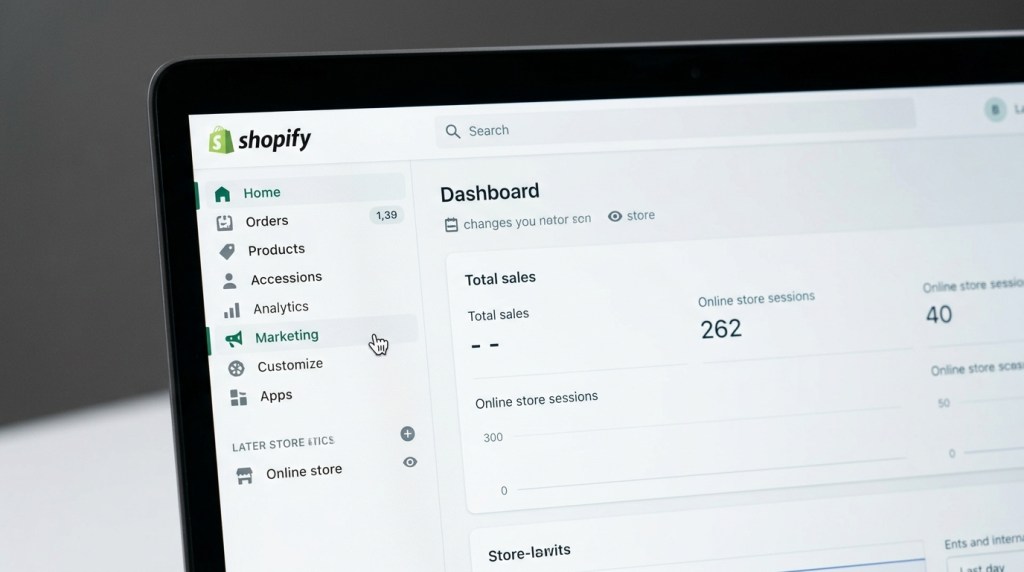
Here’s a number that should get your attention: the average Shopify store loses roughly 70% of potential revenue to cart abandonment. On a store doing $50,000/month in revenue, that math suggests another $116,000 is walking away before checkout — every single month.
Abandoned cart emails are your most direct tool for recovering that revenue. They’re not complicated to set up, they don’t require ongoing effort once live, and the conversion data for stores that run them properly is hard to argue with: a well-structured 3-email sequence recovers 5–15% of abandoned carts, depending on your product category and average order value.
This guide covers exactly why carts get abandoned, how to structure your sequence for maximum recovery, and how to get the whole thing live in under 10 minutes.
Why Shoppers Abandon Carts (And Why Email Fixes It)
Before writing a single email, it helps to understand what’s actually happening when someone abandons their cart. Research consistently shows the top reasons:
- Unexpected costs (shipping, taxes, fees) — 48% of abandonments
- Forced account creation — 26%
- Complicated checkout process — 22%
- Couldn’t see the total order cost upfront — 21%
- Website was too slow — 20%
- Didn’t trust the site with payment info — 19%
- Distraction / “just browsing” — 58% (not necessarily an objection, just timing)
The last one is especially important. A significant chunk of abandoners aren’t leaving because of a problem — they’re leaving because something interrupted them, they got a phone call, they got distracted. An abandoned cart email is simply a reminder to the people who intended to buy but got pulled away.
When you know the real objections, you can design your emails to address them directly — rather than just shouting “come back!” into the void.
The 3-Email Abandoned Cart Sequence
The most effective abandoned cart flow uses three emails, spaced out strategically. Here’s the framework:
Email 1: The Reminder (Send at 1 hour)
Goal: Catch the distracted abandoner before they forget entirely.
At the one-hour mark, most people who were genuinely intending to buy are still warm. They may have been interrupted, or they may be comparison shopping. Your first email should be:
- Simple and direct — no elaborate copy, just a clear reminder
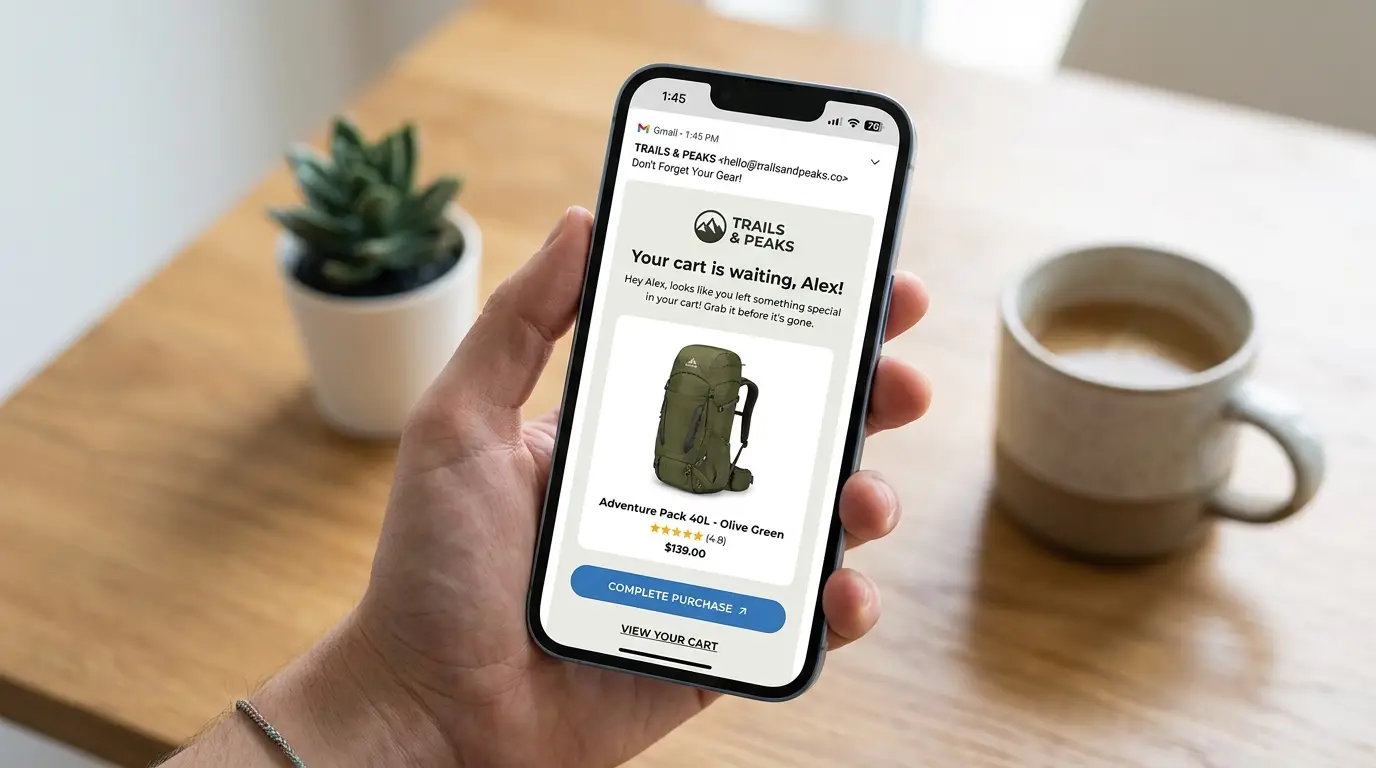
- Product-focused — show exactly what they left behind, with an image
- Easy to return — one obvious CTA button that drops them directly into their cart
Subject line formulas that work:
- “You left something behind, [First Name]”
- “Forget something? Your cart is waiting”
- “Still thinking it over?”
What NOT to do in Email 1: Don’t offer a discount. You haven’t established that price is the issue yet, and offering discounts too early trains your customers to always abandon in hopes of getting a deal. Save incentives for later in the sequence.
Email 2: The Objection Handler (Send at 24 hours)
Goal: Address the real reasons someone might be hesitating.
If someone didn’t return after Email 1, there’s likely a genuine objection — doubt about quality, shipping concerns, price sensitivity, or trust. Email 2 is where you work to remove those barriers.
Include:
- Product-specific social proof — pull in reviews for the exact item they left behind, not generic reviews. “4.8 stars from 247 customers” attached to the specific product is far more persuasive than a generic trust badge.
- Clear returns policy — risk reversal is powerful. “Free returns within 30 days” removes the fear of making the wrong decision.
- Shipping details — if you offer free shipping above a threshold, remind them. If they’re close, mention how much more they need to qualify.
- Urgency if genuine — only mention low stock if it’s actually low. “Only 3 left” is compelling when true; it’s trust-destroying when it’s a lie.
Subject line formulas for Email 2:
- “247 customers gave this 5 stars — here’s why”
- “Free returns, fast shipping. Still not sure?”
- “Here’s what other customers are saying about [Product Name]”
Email 3: The Final Push (Send at 72 hours)
Goal: Close the decision with an incentive and create genuine urgency.
By 72 hours, you’ve done the soft work. If someone still hasn’t returned, it’s time to make a compelling offer.
This email should:
- Lead with the incentive — don’t bury it. “Here’s 10% off to complete your order” in the subject line and the first sentence of the email.
- Create real urgency — set the discount to expire in 24–48 hours and mean it
- Be brief — the work was done in Emails 1 and 2. This email is about the offer, not more persuasion.
Subject line formulas for Email 3:
- “Here’s 10% off — but only until tomorrow”
- “Your cart is about to expire (+ a little gift)”
- “Last chance: [Product Name] is still waiting”
On discounts: Not every store should discount. If you sell premium products or have thin margins, consider alternatives — free shipping, a free gift with purchase, or store credit. The goal is to provide a reason to act now, not necessarily to reduce price.
Timing Strategy: Why the 1/24/72 Hour Cadence Works

The 1-hour / 24-hour / 72-hour spacing is deliberate:
- 1 hour catches distracted buyers while intent is still warm and the product is top of mind
- 24 hours gives time for genuine consideration while still being within the window of interest
- 72 hours is far enough out that it feels like a final decision point, not harassment
What you want to avoid: sending all three emails within a few hours (spam behavior), or waiting so long that the shopper has already bought elsewhere.
One important optimization: exclude customers who completed a purchase between emails. This sounds obvious, but it requires your email tool to check order status before each subsequent send. With native Shopify integration, this happens automatically — FosterFlow checks purchase status before sending Email 2 and Email 3, so customers who converted never receive the follow-ups.
Subject Line Tips That Move the Needle
Subject lines determine whether your email gets opened at all. For abandoned cart flows, these principles apply:
Use first name personalization. “[First Name], you left something behind” consistently outperforms generic “You left something behind” by 10–15% open rate.
Be specific about the product. “Your [Product Name] is waiting” beats “Your cart is waiting” — the specific product name triggers recollection of desire.
Use curiosity or questions sparingly. “Still thinking it over?” works because it’s conversational and non-pushy. Avoid clickbait-style curiosity gaps — they perform worse for recovery emails than direct subject lines.
Test emoji use by audience. Younger demographics and lifestyle brands tend to see uplift from a single relevant emoji. B2B-adjacent and premium brands typically perform better without.
Preview text matters. The preview text (the snippet after the subject line in the inbox) is essentially a second subject line. Use it to add information, not repeat the subject line. If the subject is “You left something behind,” the preview could be “Your [Product Name] is still in your cart — here’s what others are saying about it.”
What to Include in the Email Body

Beyond the sequence structure, each email needs to deliver on a few core elements:
Cart contents block: Show the exact product(s) left behind — product image, name, variant (size/color), price, and quantity. Make the “Return to Cart” button prominent and link directly back to the pre-filled cart.
Brand elements: Your logo, brand colors, and tone of voice. The cart recovery email is still a brand touchpoint — a generic template with no personality will underperform a branded email that matches your store’s look and feel.
Clear single CTA: One primary action per email. Don’t add newsletter links, social follow buttons, or homepage links that compete with the cart recovery goal.
Mobile optimization: Over 60% of emails are opened on mobile. Your cart image, product details, and CTA button need to render cleanly on a 375px screen.
How to Set This Up in FosterFlow (Step by Step)
Here’s how to get your abandoned cart flow live in under 10 minutes using FosterFlow:
Step 1: Install FosterFlow from the Shopify App Store and connect your store. The native integration syncs your products, customer data, and Shopify Events automatically.
Step 2: Navigate to Flows > Create Flow > Abandoned Cart. FosterFlow provides a pre-built 3-email template with the recommended timing already configured.
Step 3: Customize each email. Edit the subject lines to match your brand voice. The drag-and-drop editor pulls in your Shopify product catalog, so your cart contents block is automatically populated.
Step 4: Configure your discount logic for Email 3. Set the discount amount, expiration window, and whether to apply it automatically at checkout or send as a code.
Step 5: Review the flow logic. FosterFlow’s visual flow builder shows you the full sequence — triggers, delays, and exit conditions (including the purchase exclusion that prevents post-purchase sends).
Step 6: Activate the flow.
That’s it. From install to first live cart recovery email, most merchants are done in under 10 minutes. The flow then runs automatically for every cart abandonment event on your store.
Benchmarks: What Good Looks Like
Set realistic expectations for your flow performance:
| Metric | Typical Range | Strong Performance |
|——–|————–|——————-|
| Email 1 Open Rate | 40–55% | 55%+ |
| Email 1 Click Rate | 8–15% | 15%+ |
| Email 2 Open Rate | 30–45% | 45%+ |
| Email 3 Open Rate | 20–35% | 35%+ |
| Overall Cart Recovery Rate | 5–10% | 10–15% |
If your numbers are below the typical range, the most common culprits are:
- Sending too late (Email 1 delayed beyond 2 hours loses significant recovery rate)
- Generic subject lines without personalization
- Cart contents block not rendering properly on mobile
- No purchase exclusion logic — sending recovery emails to customers who already converted (hurts trust and metrics)
Start Recovering Revenue Today
Abandoned cart emails are the closest thing to “free money” in ecommerce — you’re targeting people who already showed high purchase intent, with a message that’s directly relevant to them, at the exact right moment.
If your store doesn’t have a cart flow live today, every hour is recoverable revenue walking out the door.
Install FosterFlow and get your abandoned cart flow live in the next 10 minutes. The setup is fast, the integration is native to Shopify, and most stores see recovered revenue within the first 24 hours of the flow being active.
Related reading: [9 Must-Have Email Automations for Every Shopify Store](#) | [Welcome Email Series: A 5-Step Sequence That Converts](#)