
8 Pop-Up Strategies That Convert 5% of Visitors
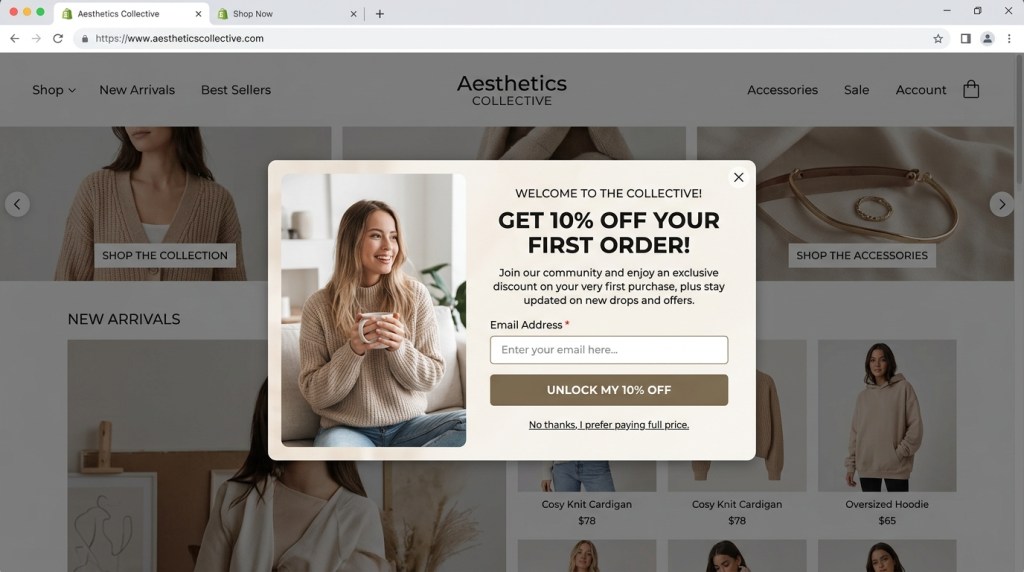
The average Shopify pop-up converts somewhere between 0.5% and 1.5% of visitors. That’s a disappointingly small slice of the traffic you’re paying to acquire. But data from high-performing Shopify stores consistently shows that well-designed, well-timed pop-ups can convert 3–8% of visitors — sometimes higher.
The difference isn’t the pop-up itself. It’s the strategy behind it.
This guide breaks down 8 specific strategies that move the needle on Shopify popup conversion rates — from the mechanics of timing and triggers to offer psychology, mobile optimization, and testing frameworks.
Why Most Shopify Pop-Ups Underperform
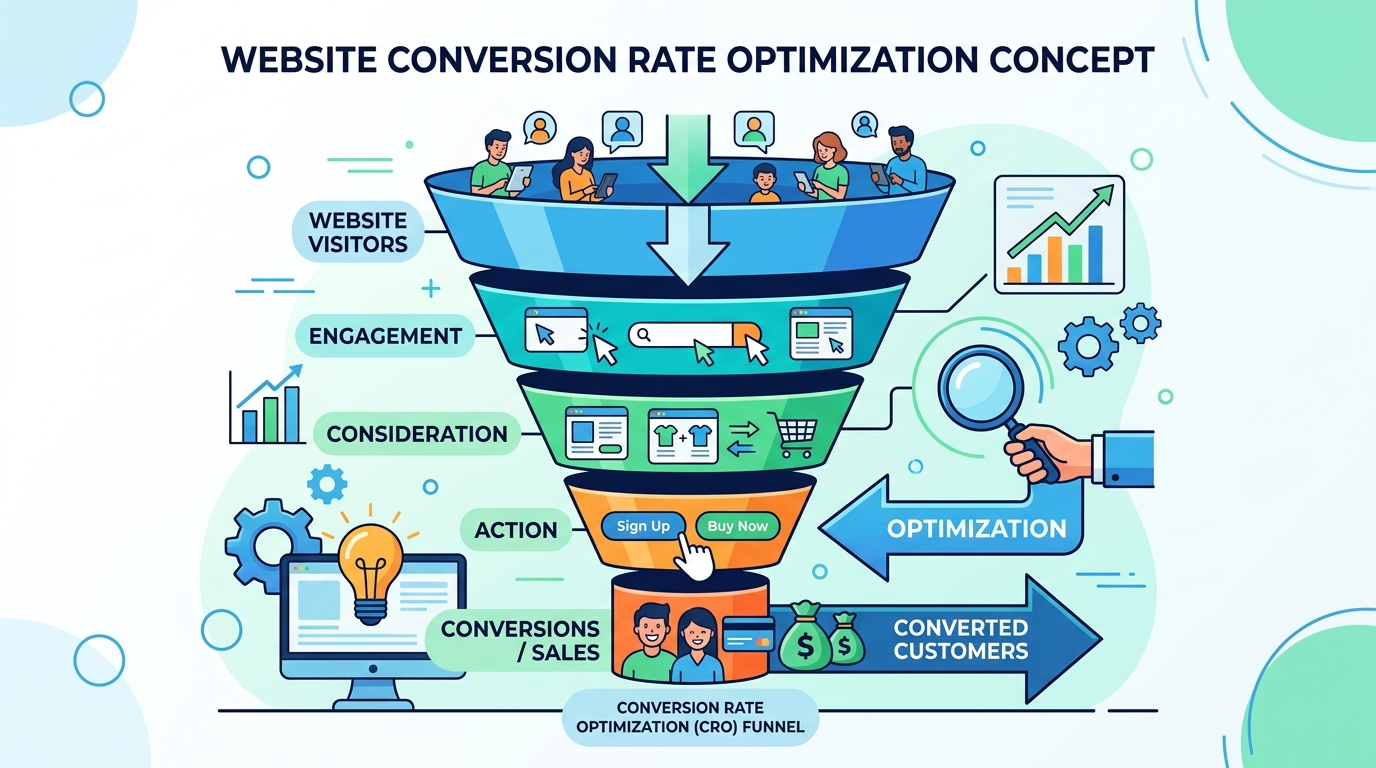
Before getting into what works, it’s worth understanding what doesn’t.
Most underperforming pop-ups share the same set of problems:
- They appear too soon. Showing a pop-up within 3 seconds of a visitor landing on your site is the digital equivalent of a sales associate grabbing you the moment you walk through the door. It creates friction before the visitor has seen any value.
- The offer is generic. “Sign up for our newsletter” has no perceived value. Visitors need a reason to hand over their email address.
- One-size-fits-all messaging. The same pop-up shown to a paid traffic visitor seeing your brand for the first time and a returning customer who’s bought twice are two completely different contexts.
- No mobile optimization. A pop-up designed for desktop will often break or frustrate on mobile, where more than 60% of Shopify traffic now originates.
- No testing. The first version goes live and stays live forever, with no iteration.
Fix these problems systematically and you’ll outperform the average without doing anything exotic.
Strategy 1: Exit-Intent Timing
Exit-intent pop-ups fire when the visitor’s cursor movement signals they’re about to leave the page — typically moving rapidly toward the browser’s address bar or tab area.
Why it works: The visitor is already leaving. There’s no interruption cost. You have nothing to lose by making one last offer.
Benchmarks: Exit-intent pop-ups convert at 1.5–4x the rate of timed pop-ups shown mid-visit, according to OptinMonster data.
Best practices:
- Keep the message brief — they’re halfway out the door
- Make the offer specific: “Wait — here’s 10% off before you go”
- Pair with urgency: “This offer expires in 15 minutes” (and mean it — use a real countdown)
- On mobile, trigger on scroll-up behavior instead (mobile devices don’t have a cursor)
Strategy 2: Spin-to-Win Gamification
Gamified pop-ups — where visitors spin a wheel for a randomized discount or reward — consistently outperform static discount pop-ups in A/B tests.
Why it works: The variable reward mechanism (borrowed directly from behavioral psychology) creates engagement that a static “10% off” message doesn’t. The act of spinning creates micro-investment in the outcome.
Typical performance: Gamified pop-ups report conversion rates of 4–8% — significantly above the 1–2% average for standard opt-in forms.
Best practices:
- Make all outcomes feel like wins (10% off, free shipping, a small gift — no empty “better luck next time” slots)
- Require the email before the spin, not after
- Set a short expiration on the prize (24 hours) to drive immediate conversion
- Use sparingly — this format works best for first-time visitor campaigns, not repeat visitors who’ve seen it before
Strategy 3: Mobile-Specific Pop-Ups
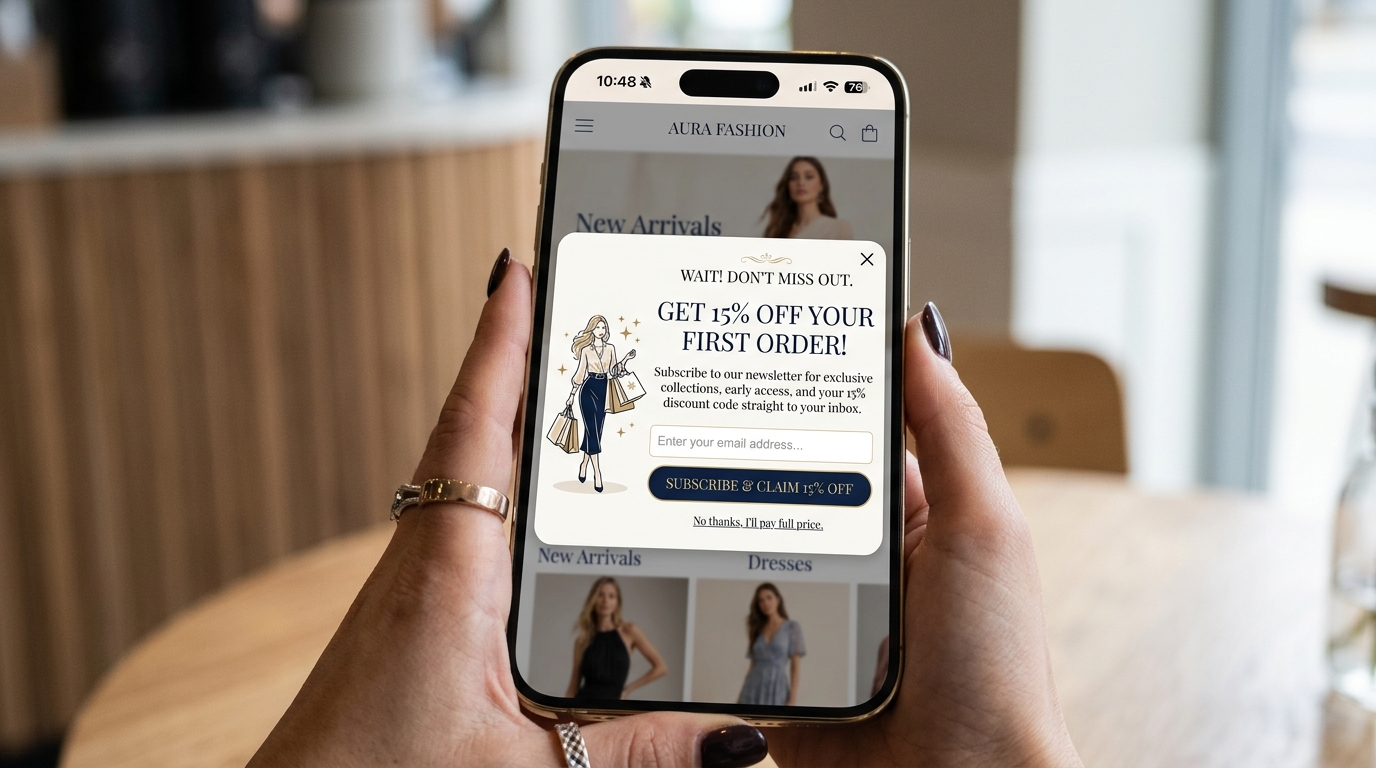
Designing a single pop-up and serving it to all devices is a fast path to a bad mobile experience. Mobile visitors have different screen sizes, different behaviors, and different tolerance for interruption.
Why mobile-specific design matters:
- Mobile accounted for 65% of Shopify traffic globally in 2024
- Full-screen mobile pop-ups that are difficult to close violate Google’s mobile interstitial guidelines and can impact search rankings
- Tap targets on mobile need to be significantly larger than desktop click targets
What to do differently for mobile:
- Use a bottom slide-in or half-screen format rather than a full-page takeover
- Trigger on upward scroll (exit signal) rather than cursor movement
- Reduce form fields — name + email is fine on desktop; email only works better on mobile
- Make the close button obvious and easy to tap (minimum 44x44px touch target)
Strategy 4: Discount vs. Lead Magnet Offers
The offer type has an enormous impact on conversion rate — and the right answer depends on your audience and product category.
Discount Offers (% off or $ off)
- Conversion rate: Typically 2–5%
- Best for: Fashion, accessories, beauty, home goods — categories with impulse purchase potential
- Risk: Discount-trained buyers. If every visitor sees a pop-up offering 15% off, you’re training your audience to never pay full price.
Free Shipping Offers
- Conversion rate: 2–4% (higher for stores with high shipping costs)
- Best for: Heavy or bulky goods; markets where free shipping is an expectation
Lead Magnets (guides, quizzes, exclusive content)
- Conversion rate: 3–8% when highly relevant
- Best for: Stores selling high-consideration products (tech, supplements, complex B2B) where education drives purchase decisions
- Advantage: Attracts buyers, not just coupon hunters. The leads tend to convert to purchases at higher rates.
Quiz Funnels as Pop-Ups
A “Find your perfect [product]” quiz entry point converts extremely well — often 5–10% — because it offers personalized value rather than a discount. The quiz captures email at completion while simultaneously collecting data for segmentation.
Strategy 5: Multi-Step Forms
Single-field opt-in forms (just an email) create lower friction than multi-field forms — but multi-step forms can capture more data without sacrificing completion rates.
The psychology: Once a visitor completes Step 1 of a form (even if it’s just clicking “Yes, I want 10% off”), they’re psychologically committed to completing the process. This is the “foot-in-the-door” principle.
Recommended structure:
1. Step 1: Commitment question. “Want 15% off your first order?” → [Yes, I do] / [No, I’ll pay full price]
2. Step 2: Email capture
3. Step 3 (optional): Phone number for SMS (framed as an “extra offer”)
Multi-step forms with this structure reliably capture both email and SMS opt-ins at rates comparable to single-step email-only forms.
Strategy 6: Social Proof in Pop-Ups
Adding social proof elements to pop-up designs improves conversion by reducing skepticism at the moment of commitment.
Formats that work:
- Subscriber count: “Join 12,000+ Shopify merchants getting our weekly tips” (for B2B)
- Purchase activity: “847 people bought this week” (dynamic, pulled from real order data)
- Review snippet: A single, specific quote from a customer about the product being featured
- Trust badges: Security certifications, return policy, money-back guarantee
Even a single line of social proof — “Join 8,400 happy customers” — can improve pop-up conversion rates by 15–25% compared to the same design without it.
Strategy 7: Personalization by Traffic Source
The most sophisticated pop-up strategies vary messaging based on where the visitor came from.
Why it matters: A visitor arriving from a Facebook ad about a specific product has different intent than an organic visitor arriving from a blog post about gift ideas. Showing them the same pop-up ignores that intent.
Segmented pop-up approaches:
| Traffic source | Pop-up approach |
|—|—|
| Paid social (cold traffic) | Soft offer — social proof + small discount to build trust |
| Google Shopping (high intent) | Exit-intent only, stronger discount, urgency |
| Email campaign | No pop-up (they’re already subscribed) |
| Referral from review site | Social proof-focused, highlight what reviewers praised |
| Returning visitor (2+ visits) | Targeted based on what they browsed previously |
FosterFlow’s pop-up builder supports traffic-source targeting natively, letting you create multiple pop-up variants tied to UTM parameters or visit history without manual segmentation work.
Strategy 8: A/B Testing Pop-Up Variants
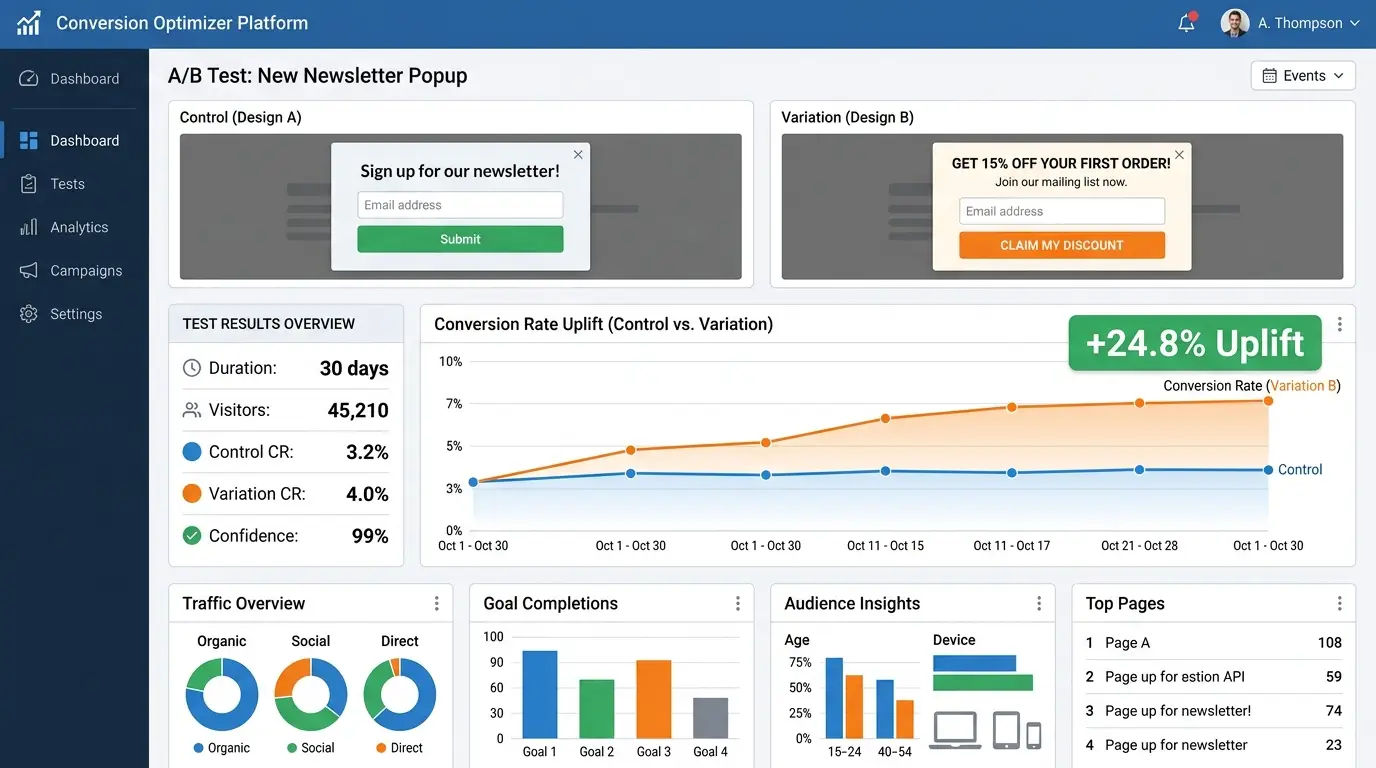
Every strategy in this guide is a hypothesis until it’s tested against your specific audience. A/B testing pop-up variants is how you turn general best practices into store-specific optimization.
What to test:
- Offer type: Discount vs. lead magnet vs. free shipping
- Trigger timing: Immediately on exit vs. after 30 seconds on page
- Headline copy: Benefit-led vs. question-led vs. urgency-led
- Form structure: Single-step vs. multi-step
- Design: Image vs. no image; button color; close button placement
Testing principles:
- Test one variable at a time or you won’t know what caused the change
- Run each test for a minimum of 1,000 visitors or 2 weeks, whichever comes first
- Measure by qualified opt-in rate (email captures who actually confirm), not raw form submissions
Most pop-up tools, including FosterFlow, offer built-in A/B testing. If yours doesn’t, that’s a strong signal to switch.
Putting It Together: A High-Converting Pop-Up Stack
Rather than running a single pop-up for all visitors, high-performing stores typically run multiple campaigns simultaneously:
1. Welcome pop-up — shown to first-time visitors after 30 seconds on site. Offer: spin-to-win or 10–15% discount.
2. Exit-intent pop-up — shown to visitors about to leave without subscribing. Offer: stronger incentive.
3. Cart abandonment pop-up — shown to visitors who’ve added to cart and are about to leave without purchasing. Offer: free shipping or time-limited discount.
4. Return visitor pop-up — shown on second or third visit with a different angle than their first visit.
Each campaign is suppressed for anyone who has already opted in, so subscribers never see opt-in pop-ups again.
Convert More of the Traffic You’re Already Paying For
Pop-up conversion rate is a multiplier on everything else you do. Every percentage point improvement in opt-in rate means a larger email list, more flows firing, more revenue from automation.
FosterFlow’s built-in pop-up builder includes all the strategies covered here — exit-intent, gamification, multi-step forms, mobile optimization, traffic-source targeting, and A/B testing — in a single platform that connects directly to your email automation flows. Capture the subscriber; the automation takes it from there.
Install FosterFlow and build your first high-converting pop-up today →