
7 Triggers You Should Add to Your Shopify Flows Today
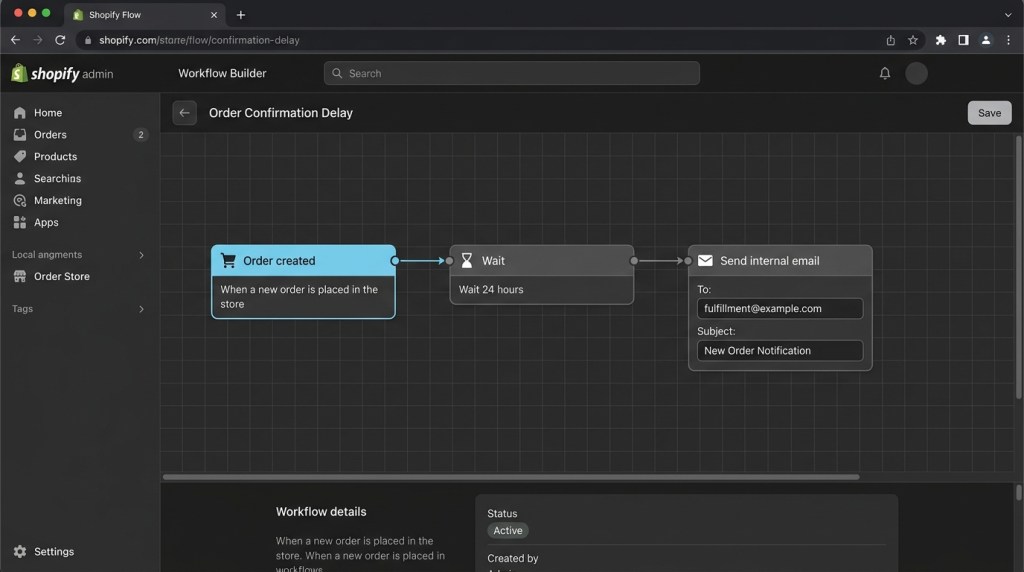
Most Shopify merchants use one flow trigger — abandoned cart. Maybe two if they’re ahead of the curve. But the merchants quietly generating outsized email revenue? They’ve mapped out a full trigger stack that catches customers at every meaningful moment in their journey.
A Shopify flow trigger is the event that fires an automated email sequence. The right trigger, matched with the right message, at the right time, is what separates a 0.3% email ROI from a 15–20x return.
Here are the 7 triggers worth adding to your flow library right now — what they are, when to use them, and exactly what to send.
Why Trigger Selection Matters More Than Copy
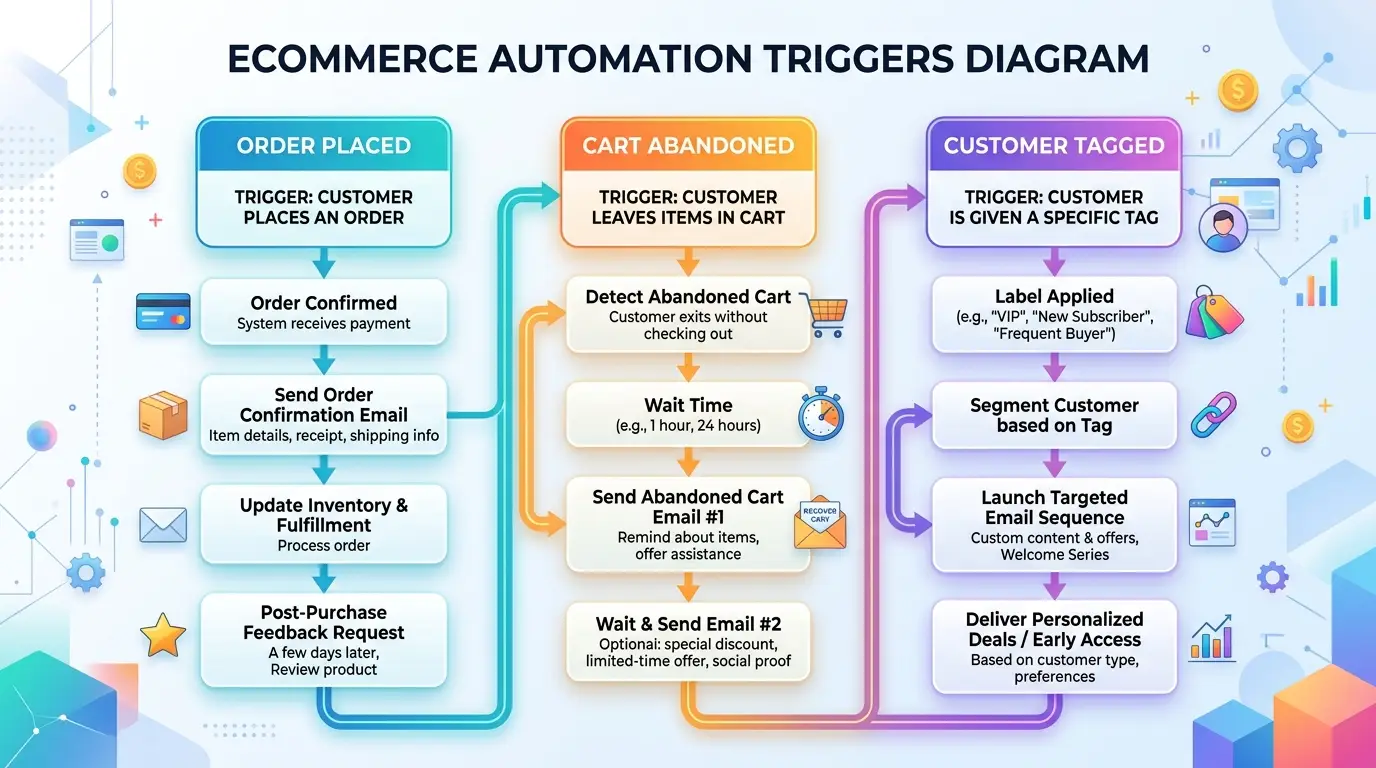
Before we dive in: the best email copy in the world won’t save a poorly timed trigger. If you send a “we miss you” win-back to a customer who bought yesterday, you’ll lose their trust. If you send a discount after browse abandonment when the customer already placed an order 10 minutes ago, you’ve just handed away margin for nothing.
Trigger logic — including suppression rules, delays, and conditions — is what makes automation feel intelligent rather than robotic. Keep that in mind as you implement each trigger below.
Trigger 1: Cart Abandonment
What it is: Fires when a customer adds items to their cart and leaves without completing checkout.
Why it matters: Cart abandonment is the highest-intent signal you can capture. These customers selected a product, reviewed their cart, and still didn’t buy — which means a small nudge often closes the sale.
When to use it: Trigger the first email 30–60 minutes after abandonment. Any sooner feels intrusive; any later loses the window of high intent.
What to send:
- Email 1 (1 hour): Simple reminder with product images and a “Your cart is saved” subject line
- Email 2 (24 hours): Social proof — reviews, star ratings, “X customers bought this this week”
- Email 3 (72 hours): Final nudge with an optional small incentive (free shipping or 10% off)
Benchmark: 3-email cart abandonment sequences convert at 5–15% of abandons, with average open rates around 40–45%.
Key suppression: Suppress anyone who has completed a purchase since abandoning.
Trigger 2: Checkout Abandonment
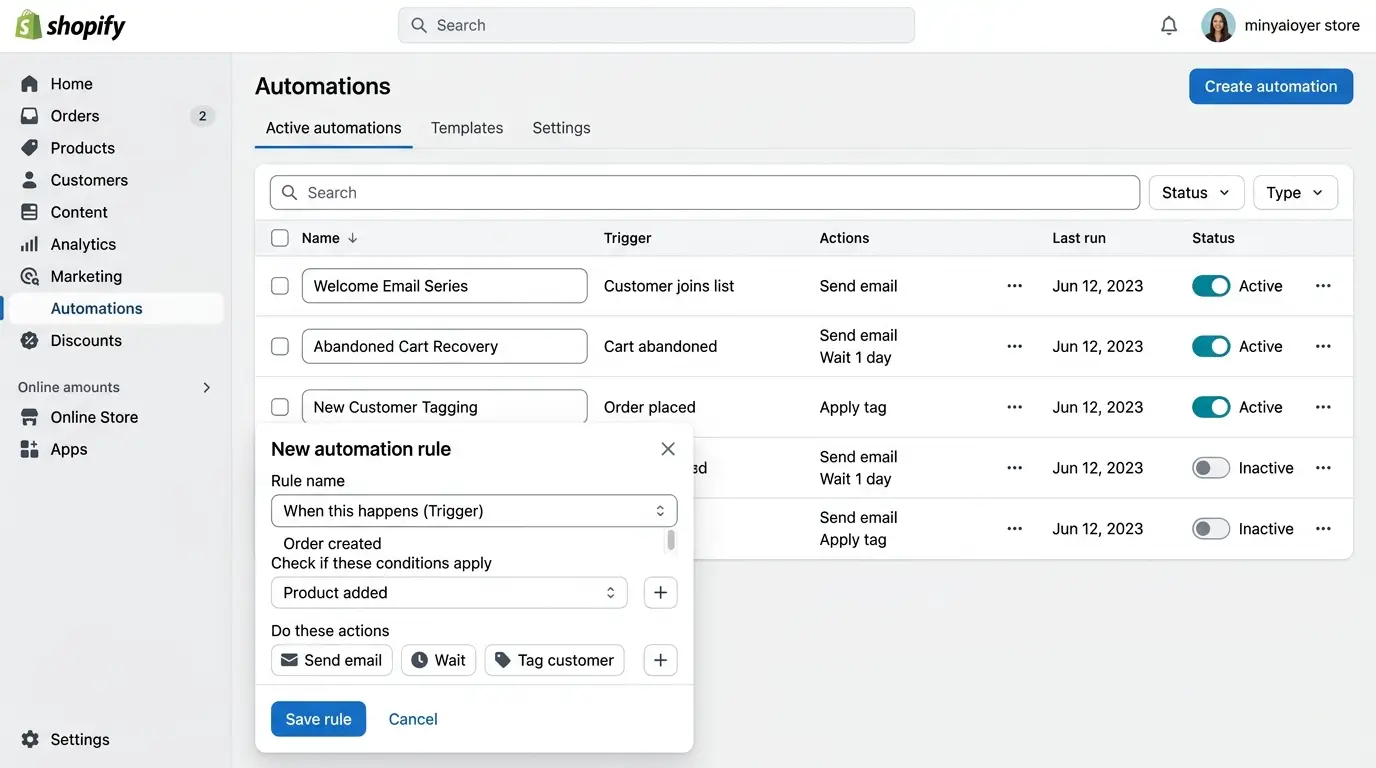
What it is: Fires when a customer reaches the checkout page — enters their shipping or payment info — but doesn’t complete the order.
Why it’s different from cart abandonment: Checkout abandoners are one step further in the funnel. They’ve committed enough to start entering personal information. Conversion rates on this trigger are often 2x higher than cart abandonment.
When to use it: Trigger within 15–30 minutes. These customers are still warm. A quick “Did something go wrong?” subject line works remarkably well here.
What to send:
- Reference the specific items they were about to buy
- Offer a direct link back to their exact checkout session
- On Email 2, consider addressing common friction points: “We accept all major cards, PayPal, and Shop Pay”
Setup note: In Shopify, checkout abandonment requires customer email capture (which happens when they enter their email at checkout). FosterFlow captures this automatically and routes it into the correct flow without any manual configuration.
Trigger 3: Product Viewed X Times
What it is: Fires when a customer views the same product page multiple times in a session or across sessions — without purchasing.
Why it matters: Repeat product views signal strong purchase intent. A customer who views a $200 jacket four times is not browsing casually — they’re deliberating. A well-timed email can tip them over.
When to use it: Set a minimum view threshold (3+ views) to avoid false positives. Trigger the email 1–2 hours after the last qualifying view.
What to send:
- Highlight the specific product prominently
- Lead with social proof: “Over 1,200 customers love this item”
- Address common purchase hesitations: sizing guides, return policies, material details
- Optional: surface a relevant complementary product
Benchmark: Browse-style triggers like this convert at 2–5% but fire at high volume, making them a consistent revenue driver.
Trigger 4: Purchase Made (Post-Purchase Flow)
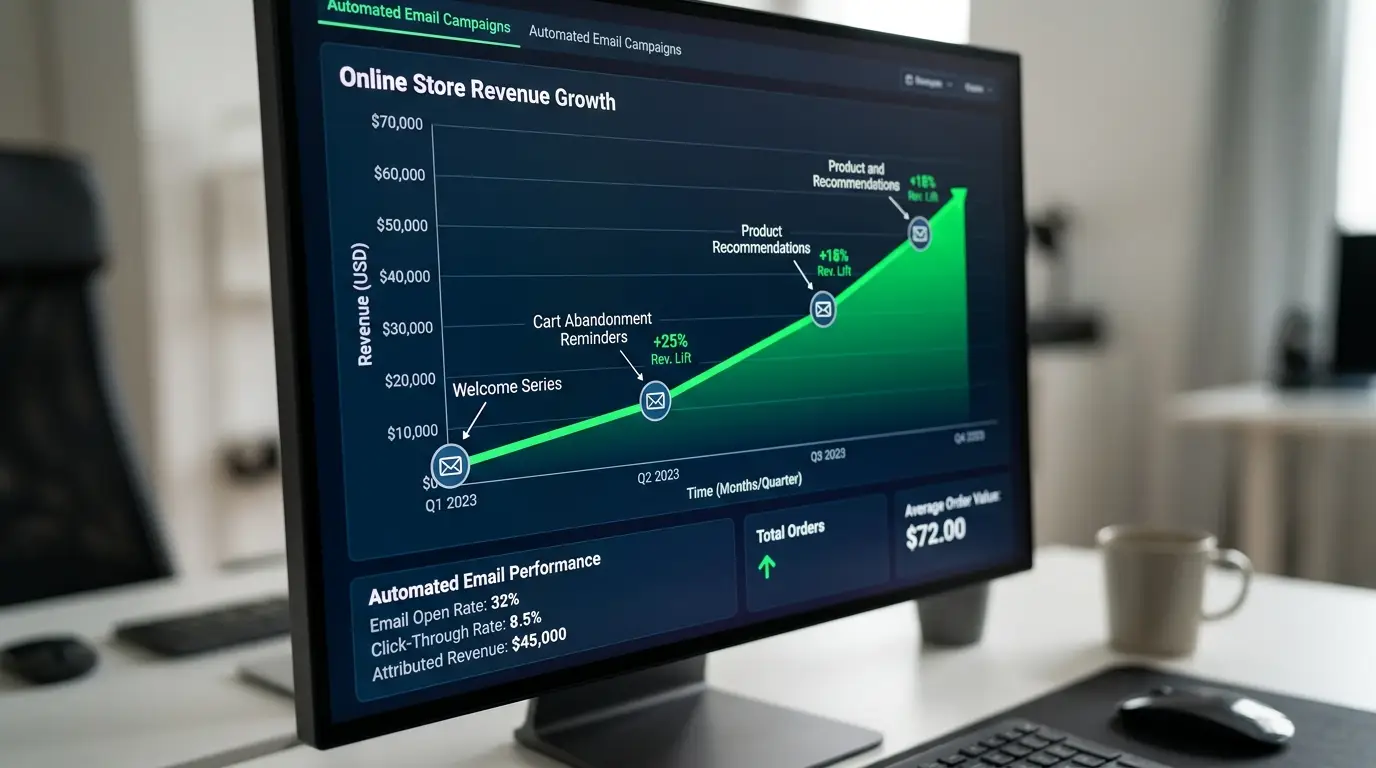
What it is: Fires immediately after a successful order is placed.
Why it matters: Post-purchase is the highest-trust moment in the customer relationship. The customer just paid you. They’re excited. Their guard is down. This is the best time to deepen the relationship and set up the second sale.
When to use it: Trigger the first email in the sequence immediately (as an order confirmation upgrade), then continue the sequence over the following 7–30 days.
What to send:
- Email 1 (Immediate): Order confirmation with brand voice, shipping timeline, and a subtle cross-sell (“Customers who bought X also loved Y”)
- Email 2 (Day 3–5, post-delivery): Request a review + a related product recommendation
- Email 3 (Day 14–21): Replenishment reminder for consumables, or an upgrade offer for higher-tier products
Segment by: Product category, first-time vs. repeat buyer, order value. A first-time buyer deserves a different onboarding sequence than a loyal customer placing their sixth order.
Trigger 5: Customer Tag Added
What it is: Fires when a specific customer tag is added to a Shopify customer record.
Why it’s powerful: This trigger is the most flexible on the list. Customer tags can be applied manually, via Shopify Flow, via third-party apps, or automatically based on purchase behavior. That flexibility means you can use this trigger to power almost any segmented campaign.
Use cases:
- Tag:
vip— Fire a VIP welcome sequence when a customer crosses a spend threshold - Tag:
wholesale— Trigger a wholesale onboarding sequence - Tag:
birthday-month— Fire a birthday offer when a tag is applied by a loyalty app - Tag:
at-risk— Trigger a win-back sequence when a customer hasn’t purchased in 90 days
What to send: Entirely depends on the tag. The power here is personalization at scale — customers receive emails that feel hand-crafted to their specific status or situation.
FosterFlow supports customer tag triggers natively, letting you build one flow per tag and manage your full automation stack from a single dashboard.
Trigger 6: Price Drop on Viewed Product
What it is: Fires when the price of a product a customer previously viewed (but didn’t buy) decreases.
Why it converts: Price sensitivity is the #1 reason customers browse without buying. When the price drops on an item they’ve already shown interest in, the email essentially writes itself: “Good news — the price on [Product] just dropped.”
When to use it: Send within 1–2 hours of the price change going live. The novelty of the price drop is the hook — don’t let it get stale.
What to send:
- Subject line: “Price drop: [Product Name] is now $X”
- Show the original price crossed out next to the new price
- Include urgency if applicable: “Limited stock remaining at this price”
- Direct link to the product page
Benchmark: Price drop emails see click-through rates 3–5x higher than standard promotional emails because they’re hyper-relevant and personalized.
Setup note: This trigger requires integration between your pricing data and your email platform. FosterFlow syncs with Shopify’s product catalog in real time, so price drops fire the flow automatically.
Trigger 7: Low Inventory Alert (FOMO Trigger)
What it is: Fires when the inventory count of a previously viewed or wishlisted product drops below a defined threshold (e.g., 5 units remaining).
Why it works: Scarcity is one of the most powerful psychological drivers of purchasing behavior. A customer who browsed a product three times and received a “Only 3 left in stock” email has a compelling reason to act now rather than later.
When to use it: Set your inventory threshold based on your typical sell-through speed. If 5 units sell in a day, trigger the email when you hit 10 units remaining — not 2.
What to send:
- Subject: “Almost gone: [Product Name] is nearly sold out”
- Lead with the scarcity signal: “Only [X] left — and these tend to go fast”
- Include a clear, single CTA: “Grab Yours Before It’s Gone”
- Do not include discounts — the scarcity itself is the incentive
Important: Only use this trigger for genuinely low inventory situations. Fake scarcity erodes trust quickly, and customers notice when the same product is “almost gone” every week.
Building Your Full Trigger Stack
Here’s how these 7 triggers map to the customer journey:
| Stage | Trigger | Goal |
|—|—|—|
| Pre-purchase | Product Viewed X Times | Nudge deliberating browsers |
| Pre-purchase | Price Drop | Re-engage price-sensitive browsers |
| Pre-purchase | Low Inventory | Create urgency for interested shoppers |
| Mid-funnel | Cart Abandonment | Recover high-intent non-purchasers |
| Mid-funnel | Checkout Abandonment | Recover near-converts |
| Post-purchase | Purchase Made | Drive LTV and second sale |
| Retention | Customer Tag Added | Power VIP, win-back, and segmented flows |
Most stores run 2–3 of these triggers. Stores in the top revenue tier run all 7.
Getting Your Triggers Live
The technical barrier to setting up these triggers varies by platform. Some require custom integrations, developer work, or separate apps stitched together.
FosterFlow was built to make all 7 of these triggers accessible to any Shopify merchant — no developer required. The visual flow builder lets you configure trigger conditions, delays, and suppression rules in a single interface, with your Shopify data powering the personalization automatically.
Start with cart abandonment and post-purchase if you’re building from scratch. Those two flows alone typically generate 60–70% of total automation revenue. Then layer in the remaining 5 triggers as your stack matures.
Set up your first FosterFlow trigger today — and watch what happens when your store starts responding to customer behavior in real time.